

Extending Your Network
Premium roomLearn about some of the technologies used to extend networks out onto the Internet and the motivations for this.
info

To access material, start machines and answer questions login.
Port forwarding is an essential component in connecting applications and services to the Internet. Without port forwarding, applications and services such as web servers are only available to devices within the same direct network.
Take the network below as an example. Within this network, the server with an IP address of "192.168.1.10" runs a webserver on port 80. Only the two other computers on this network will be able to access it (this is known as an intranet).
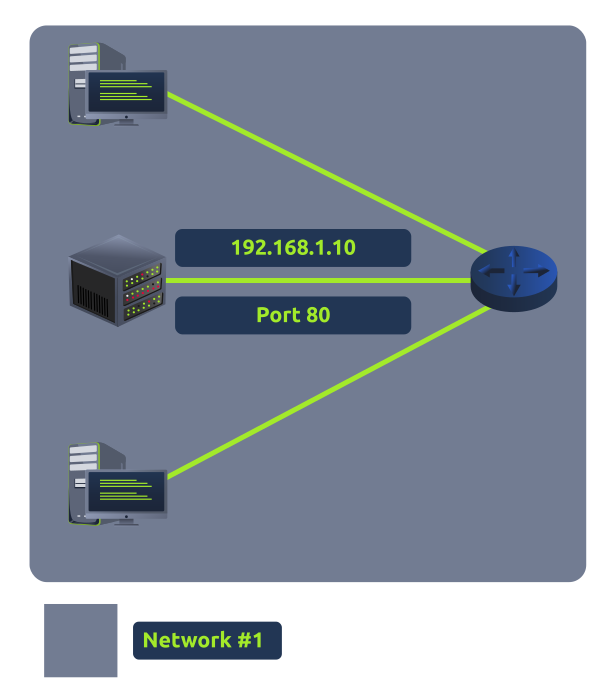
If the administrator wanted the website to be accessible to the public (using the Internet), they would have to implement port forwarding, like in the diagram below:
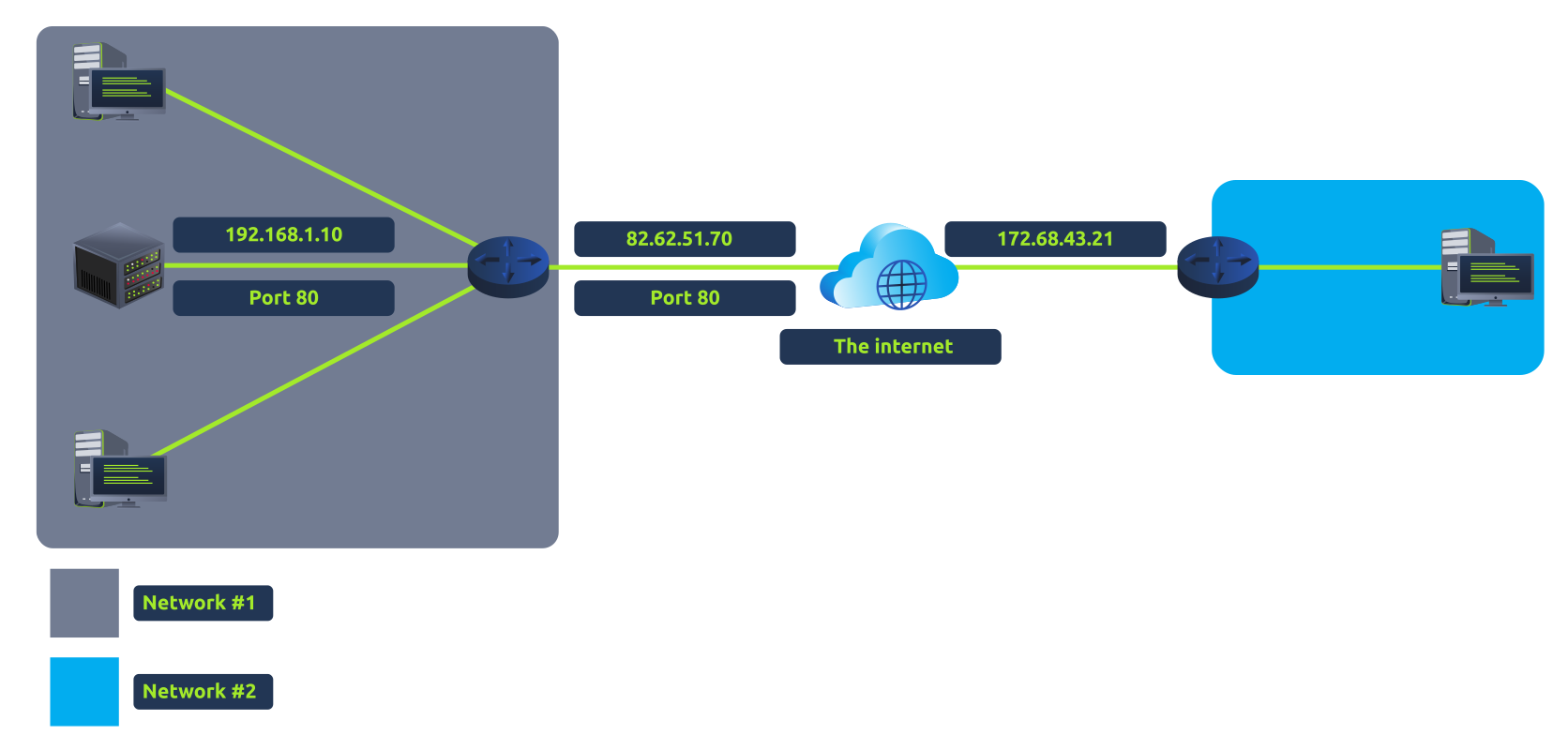
With this design, Network #2 will now be able to access the webserver running on Network #1 using the public IP address of Network #1 (82.62.51.70).
It is easy to confuse port forwarding with the behaviours of a (a technology we'll come on to discuss in a later task). However, at this stage, just understand that port forwarding opens specific ports (recall how packets work). In comparison, firewalls determine if traffic can travel across these ports (even if these ports are open by port forwarding).
Port forwarding is configured at the router of a network.
Ready to learn Cyber Security?
The Extending Your Network room is only available for Premium or Max subscribers. Signup now to access more than 500 free rooms and learn cyber security through a fun, interactive learning environment.
Already have an account? Log in