

Windows Event Logs
Premium roomIntroduction to Windows Event Logs and the tools to query them.
medium


To access material, start machines and answer questions login.
Set up your virtual environment

Per Wikipedia, "Event logs record events taking place in the execution of a system to provide an audit trail that can be used to understand the activity of the system and to diagnose problems. They are essential to understand the activities of complex systems, particularly in applications with little user interaction (such as server applications)."
This definition would apply to system administrators, IT technicians, desktop engineers, etc. If the endpoint is experiencing an issue, the event logs can be queried to see clues about what led to the problem. The operating system, by default, writes messages to these logs.
As defenders (blue teamers), there is another use case for event logs. "Combining log file entries from multiple sources can also be useful . This approach, in combination with statistical analysis, may yield correlations between seemingly unrelated events on different servers."
This is where SIEMs (Security Information and Event Management) such as and Elastic come into play.
If you don't know exactly what a is used for, below is a visual overview of its capabilities.
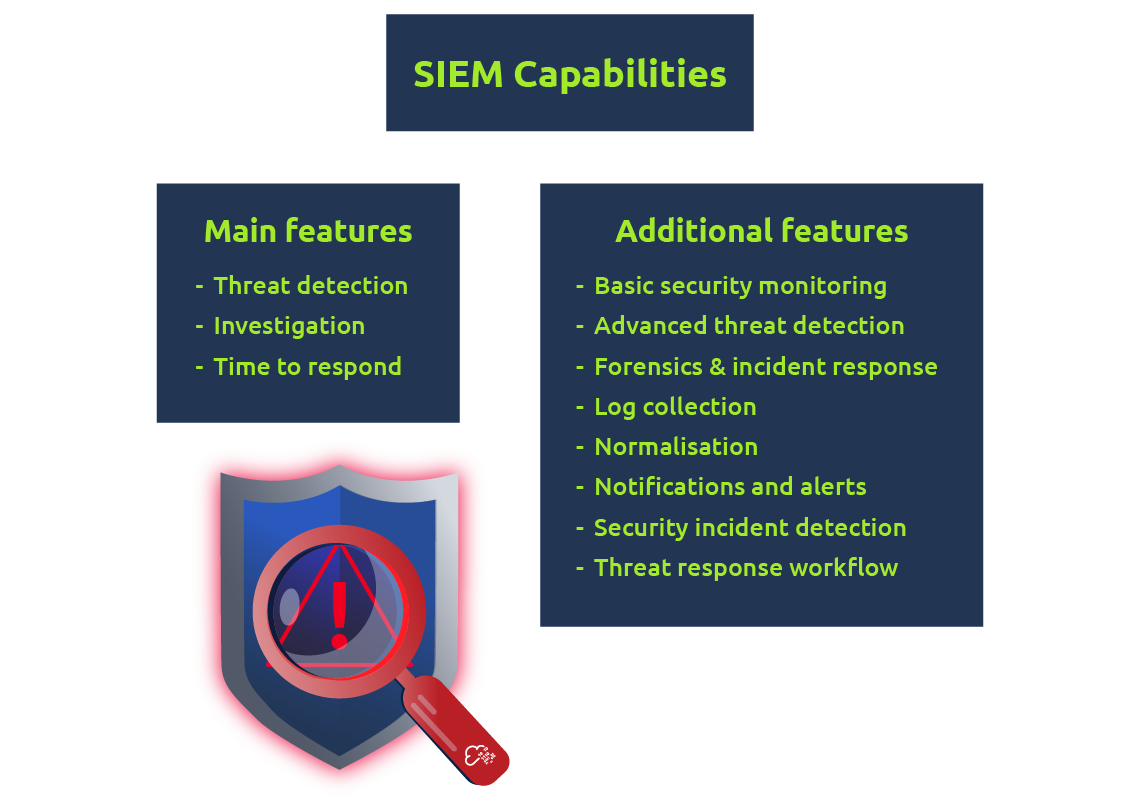
Even though accessing a remote machine's event logs is possible, this will not be feasible in a large enterprise environment. Instead, one can view the logs from all the endpoints, appliances, etc., in a SIEM. This will allow you to query the logs from multiple devices instead of manually connecting to a single device to view its logs.
Windows is not the only operating system that uses a logging system. and macOS do as well. For example, the logging system on Linux systems is known as Syslog . In this room, though, we're only focusing on the Windows logging system, Windows Event Logs.
Room Machine
Before moving forward, please deploy the machine.
You can use the AttackBox and Remmina to connect to the remote machine. Make sure the remote machine is deployed before proceeding.
Click on the plus icon, as shown below.

For the Server, provide (MACHINE_IP) as the IP address provided to you for the remote machine. The credentials for the user account are:
- User name:
administrator - User password:
blueT3aming!

Accept the Certificate when prompted, and you should be logged into the remote system now.
Note : The lab machine may take up to 3 minutes to load.
Let's begin...
Ready to learn Cyber Security?
The Windows Event Logs room is only available for Premium or Max subscribers. Signup now to access more than 500 free rooms and learn cyber security through a fun, interactive learning environment.
Already have an account? Log in