
Breaching Active Directory
Premium roomThis network covers techniques and tools that can be used to acquire that first set of AD credentials that can then be used to enumerate AD.
medium
120 min
23,064

To access material, start machines and answer questions login.
Press 'Start' to begin
Active Directory () is used by approximately 90% of the Global Fortune 1000 companies. If an organisation's estate uses Microsoft Windows, you are almost guaranteed to find . Microsoft is the dominant suite used to manage Windows domain networks. However, since is used for Identity and Access Management of the entire estate, it holds the keys to the kingdom, making it a very likely target for attackers.
For a more in-depth understanding of and how it works, please complete this room on basics first.
Breaching Active Directory
Before we can exploit misconfigurations for privilege escalation, lateral movement, and goal execution, you need initial access first. You need to acquire an initial set of valid credentials. Due to the number of services and features, the attack surface for gaining an initial set of credentials is usually significant. In this room, we will discuss several avenues, but this is by no means an exhaustive list.
When looking for that first set of credentials, we don't focus on the permissions associated with the account; thus, even a low-privileged account would be sufficient. We are just looking for a way to authenticate to , allowing us to do further enumeration on itself.
Learning Objectives
In this network, we will cover several methods that can be used to breach . This is by no means a complete list as new methods and techniques are discovered every day. However, we will cover the following techniques to recover credentials in this network:
- Authenticated Services
- Bind Credentials
- Authentication Relays
- Microsoft Deployment Toolkit
- Configuration Files
We can use these techniques on a security assessment either by targeting systems of an organisation that are internet-facing or by implanting a rogue device on the organisation's network.
Connecting to the Network
AttackBox
If you are using the Web-based AttackBox, you will be connected to the network automatically if you start the AttackBox from the room's page. You can verify this by running the ping command against the IP of the THMDC.za.tryhackme.com host. We do still need to configure , however. Windows Networks use the Domain Name Service () to resolve hostnames to . Throughout this network, will be used for the tasks. You will have to configure on the host on which you are running the connection. In order to configure our , run the following command:
[thm@thm]$ sed -i '1s|^|nameserver THMDCIP\n|' /etc/resolv-dnsmasq
Remember to replace THMDCIP with the IP of THMDC in your network diagram. Once done, make sure to restart the DNS service using systemctl restart dnsmasq. You can test that is working by running:
nslookup thmdc.za.tryhackme.com
This should resolve to the IP of your DC.
Note: DNS may be reset on the AttackBox roughly every 3 hours. If this occurs, you will have to rerun the command specified above. If your AttackBox terminates and you continue with the room at a later stage, you will have to redo all the DNS steps.
You should also take the time to make note of your VPN IP. Using ifconfig or ip a, make note of the IP of the breachad network adapter. This is your IP and the associated interface that you should use when performing the attacks in the tasks.
Other Hosts
If you are going to use your own attack machine, an OpenVPN configuration file will have been generated for you once you join the room. Go to your access page. Select 'BreachingAD' from the VPN servers (under the network tab) and download your configuration file.
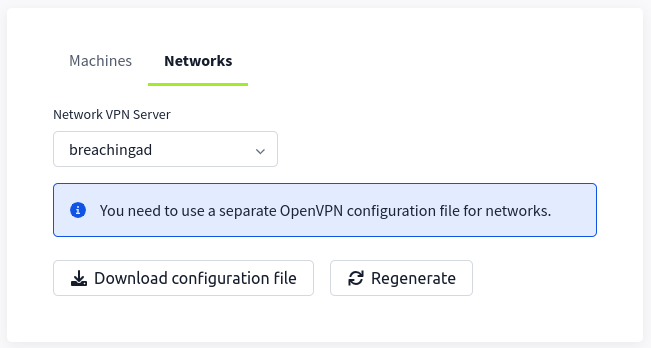
Use an OpenVPN client to connect. This example is shown on a Linux machine; similar guides to connect using Windows or macOS can be found at your access page.
         [thm@thm]$ sudo openvpn breachingad.ovpn
Fri Mar 11 15:06:20 2022 OpenVPN 2.4.9 x86_64-redhat-linux-gnu [SSL (OpenSSL)] [LZO] [LZ4] [EPOLL] [PKCS11] [MH/PKTINFO] [AEAD] built on Apr 19 2020
Fri Mar 11 15:06:20 2022 library versions: OpenSSL 1.1.1g FIPS  21 Apr 2020, LZO 2.08
[....]
Fri Mar 11 15:06:22 2022 /sbin/ip link set dev tun0 up mtu 1500
Fri Mar 11 15:06:22 2022 /sbin/ip addr add dev tun0 10.50.2.3/24 broadcast 10.50.2.255
Fri Mar 11 15:06:22 2022 /sbin/ip route add 10.200.4.0/24 metric 1000 via 10.50.2.1
Fri Mar 11 15:06:22 2022 WARNING: this configuration may cache passwords in memory -- use the auth-nocache option to prevent this
Fri Mar 11 15:06:22 2022 Initialization Sequence Completed
The message "Initialization Sequence Completed" tells you that you are now connected to the network. Return to your access page. You can verify you are connected by looking on your access page. Refresh the page, and you should see a green tick next to Connected. It will also show you your internal IP address.
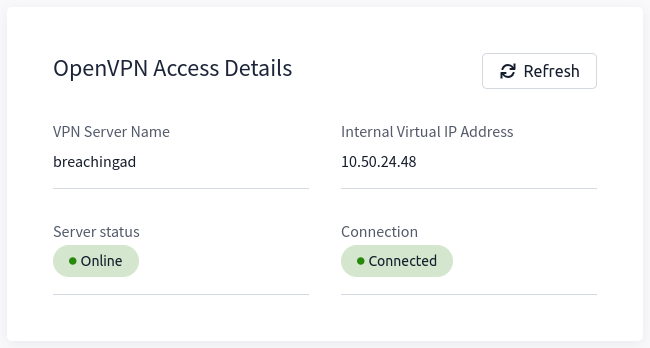
Note: You still have to configure DNS similar to what was shown above. It is important to note that although not used, the DC does log DNS requests. If you are using your own machine, these logs may include the hostname of your device. For example, if you run the on your kali machine with the hostname of kali, this will be logged.
Kali
If you are using a Kali VM, Network Manager is most likely used as DNS manager. You can use GUI Menu to configure DNS:
- Network Manager -> Advanced Network Configuration -> Your Connection -> IPv4 Settings
- Set your DNS IP here to the IP for THMDC in the network diagram above
- Add another DNS such as 1.1.1.1 or similar to ensure you still have internet access
- Run
sudo systemctl restart NetworkManagerand test your similar to the steps above.
Debugging
will be a part of Active Directory testing whether you like it or not. This is because one of the two major AD authentication protocols, Kerberos, relies on to create tickets. Tickets cannot be associated with IPs, so is a must. If you are going to test AD networks on a security assessment, you will have to equip yourself with the skills required to solve issues. Therefore, you usually have two options:
- You can hardcode entries into your
/etc/hostsfile. While this may work well, it is infeasible when you will be testing networks that have more than 10000 hosts. - You can spend the time required to debug the DNS issue to get it working. While this may be harder, in the long run, it will yield you better results.
Whenever one of the tasks within this room is not working for you, your first thought should be: Is my DNS working? From experience, I, the creator of this network, can tell you that I've wasted countless hours on assessments wondering why my tooling is not working, only to realise that my DNS has changed.
Whenever you think that your DNS configuration might not be working as it should, follow these steps to do some debugging:
- Follow the steps provided above. Make sure to follow the steps for your specific machine type.- If you use a completely different OS, you will have to do some googling to find your equivalent configuration.
- Run
ping <THM DC IP>- This will verify that the network is active. If you do not get a response from the ping, it means that the network is not currently active. If your network says that it is running after you have refreshed the room page and you still get no ping response, contact support but simply waiting for the network timer to run out before starting the network again will fix the issue. - Run
nslookup za.tryhackme.com <THM DC IP>- This will verify that the DNS server within the network is active, as the domain controller has this functional role. If the ping command worked but this does not, time to contact support since there is something wrong. It is also suggested to hit the network reset button. - Finally, run
nslookup tryhackme.com- If you now get a different response than the one in step three, it means there is something wrong with your configuration. Go back to the configuration steps at the start of the task and follow them again. A common issue seen on Kali is that the entry is placed as the second one in your/etc/resolv.conffile. By making it the first entry, it will resolve the issue.
These networks are rated medium, which means if you just joined , this is probably not where you should start your learning journey. is massive and you will need to apply the mindset of figuring stuff out if you want to make a success of testing it. However, if all of the above still fails, please be as descriptive as possible on what you are trying to do when you contact support, to allow them to help you as efficiently as possible.
I have connected to the network and configured DNS.
Ready to learn Cyber Security?
The Breaching Active Directory room is only available for premium users. Signup now to access more than 500 free rooms and learn cyber security through a fun, interactive learning environment.
Already have an account? Log in