

Data Encoding
Learn how computer encodes characters, from ASCII to Unicode's UTF.
easy

To access material, start machines and answer questions login.
In the previous room, you learned how numbers are represented in the computer as binary digits (bits) and how these bits can be grouped into hexadecimal digits; we also explored how to express colors using numbers. Now, if everything is stored as numbers, how do we convert them to letters, punctuation, and emojis?
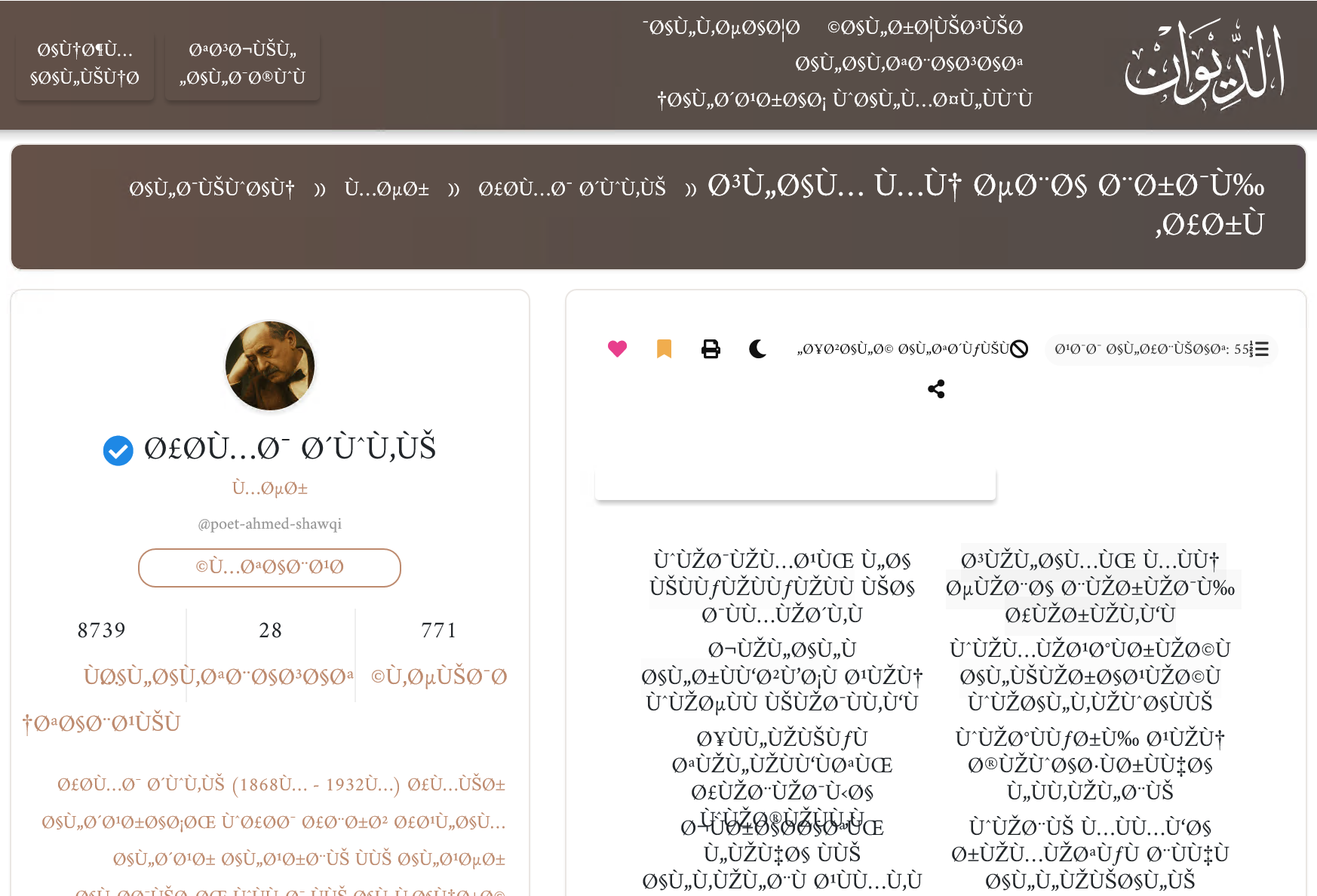
In this room, you will learn that characters are just numbers with agreed meanings. That agreement is called an encoding. Have you ever opened a document, visited a web page, or downloaded movie subtitle files only to see the file appear as weird gibberish? One reason for that is that the user who saved the file and the user who opened it are using different encodings.
Representation is the idea that data lives as bits and numbers in memory. At the same time, encoding is the specific, agreed-upon mapping between numbers and meanings, such as which number corresponds to the character “A”. In text, each character, like q, 5, or !, is assigned a numeric code, so a string becomes a sequence of numbers that the computer stores and moves around just like any other data.
Learning Objectives
Upon completion of this room, you will learn about:
- ASCII
- Unicode
- UTF-8, UTF-16, and UTF-32
- How emoji is encoded
- And what causes weird gibberish characters
Room Prerequisites
To make the best of this room, it is essential to have finished the Data Representation room.
It is time to dive into encoding.
We already learned that digital computers only understand zeroes and ones. Starting from 0 and 1, how can we save and display text? For example, how can we save the text “TryHackMe” in a file? What will such a file contain?
To be able to answer this, we need to agree on what bits represent T, what bits represent r, what bits represent y, and so on. Let’s say that we all agree to represent T with the following stream of bits: 01010100. Then all computer systems should store T the same way, and later, when a computer encounters 01010100, it will recognize it as T. Of course, we need to do this for all letters in the alphabet, digits, and special characters. This approach requires a standard that computer manufacturers, designers, and programmers agree to adhere to. One of the earliest standards for English letters was ASCII.
ASCII stands for American Standard Code for Information Interchange, and it is an early character encoding from 1963 that uses numbers 0-127 to represent English letters, digits, punctuation, and some control characters. Remember that A stands for American, as this will come in handy later. As you might have noticed, the original ASCII was limited to seven bits. ASCII acts as a small bilingual dictionary between text and numeric codes. Consider the following samples from the original ASCII table. Since the table has 128 entries, we only made a brief selection to give you an idea of how things are represented in ASCII.
| Decimal | Hexadecimal | Binary | Symbol | Description |
|---|---|---|---|---|
| … | … | … | … | … |
| 48 | 30 | 00110000 | 0 | Zero |
| … | … | … | … | … |
| 57 | 39 | 00111001 | 9 | Nine |
| … | … | … | … | … |
| 65 | 41 | 01000001 | A | Uppercase A |
| … | … | … | … | … |
| 88 | 58 | 01011000 | X | Uppercase X |
| 89 | 59 | 01011001 | Y | Uppercase Y |
| 90 | 5A | 01011010 | Z | Uppercase Z |
| 91 | 5B | 01011011 | [ | Opening bracket |
| 92 | 5C | 01011100 | \ | Backslash |
| 93 | 5D | 01011101 | ] | Closing bracket |
| 94 | 5E | 01011110 | ^ | Caret - circumflex |
| 95 | 5F | 01011111 | _ | Underscore |
| 96 | 60 | 01100000 | ` | Grave accent |
| 97 | 61 | 01100001 | a | Lowercase a |
| 98 | 62 | 01100010 | b | Lowercase b |
| 99 | 63 | 01100011 | c | Lowercase c |
| … | … | … | … | … |
| 122 | 7A | 01111010 | z | Lowercase z |
| … | … | … | … | … |
| 127 | 7F | 01111111 | DEL | Delete |
There are several things that you can observe. First, letters are in order. If you know the hexadecimal or decimal number for b, you can figure out the decimal number of a, c, and later lower-case letters. For example, a, b, and c are assigned the hexadecimal numbers 61, 62, and 63, respectively. Same for upper-case letters A to Z and digits 0 to 9. When using ASCII encoding, a computer system reads 41 in a file and displays A on the screen; when it reads 42, it displays B, and so on.
Secondly, each character has its own ASCII, for example, [ is represented by the hexadecimal number 5B.
“TryHackMe” in ASCII
Let’s say you open a text file, write “TryHackMe” and save it as file.txt. How will the file look on the bit level? Let’s find out.
If you are interested in seeing the storage on the disk, bit by bit, and assuming that it is using ASCII, you will see something similar to the following:
01010100 01110010 01111001 01001000 01100001 01100011 01101011 01001101 01100101 00001010
Obviously, this is not readable by any human being. These are the exact binary representations of all the letters in “TryHackMe” followed by a new line. When you open this file, your editor will read these bits and display the following characters: T r y H a c k M e \n; the \n is a new line that you get when you hit the Enter key.
Because reading binary numbers is cumbersome and error-prone for us, we prefer to use hexadecimal digits. As you remember from the previous room, we group 4 bits into a single hexadecimal digit. Our file looks like this in hexadecimal: 54 72 79 48 61 63 6b 4d 65 0a
And if you want to look up the decimal representation, it would be as follows: 124 162 171 110 141 143 153 115 145 012; however, it is uncommon to use decimal digits. It is more common to use hexadecimal digits when we want to show the bits.
You can use the attached static site yourself to experiment more.
European Languages
ASCII provided a way to encode the English alphabet; however, we need an encoding to support other European languages such as Spanish (ñ, ¿), German (ß, ü), Polish (ł, ń), Czech (č, ř), and Romanian (ș, ț), to name a few. ASCII uses 7 bits, and with an eighth bit, we get 128 more characters to cover. However, the reality is more challenging; the additional 128 characters are not enough to cover all the letters of the European languages. The ISO/IEC 8859 Series (International Standards) created several standards; each standard covered a set of languages:
- ISO-8859-1 (Latin-1): Covered Western European languages like German (ß, ü), French (é, ç), Spanish (ñ, ¿), Italian, Portuguese, Catalan, and Nordic languages (e.g., Icelandic ð/Ð). Check this link.
- ISO-8859-2 (Latin-2): Supported Central/Eastern European languages like Polish (ł, ń), Czech (č, ř), Hungarian (ő, ű), Croatian (đ), Romanian (ș, ț), and Slovak. Check this link.
In other words, if your document is saved using ISO-8859-1 and later read and displayed as if it were saved using ISO-8859-2, non-English letters are likely to be displayed differently.
Click on the View Site button below and use it to answer the following questions.
What is the ASCII code in decimal for the character @?
What is the character that has the ASCII code of 35 in decimal?
What is the name of the character that has the ASCII code of 7?
We learned that ASCII is a 7-bit standard that defines 128 characters covering English letters, digits, and basic punctuation. We also noticed how ASCII, with its seven bits, didn’t have room for characters such as ñ, €, あ, or ب. Using eight bits, extended ASCII tried patching this with regional variants (ISO-8859-1, ISO-8859-2, Windows-1252, among many others), but this caused chaos! For example, if the sender writes and saves Ø using ISO 8859-1 (Latin 1) encoding and the recipient opens and reads the document using ISO 8859-2 (Latin 2) encoding, they will see Ř. Hence, it is clear how opening a document requires us to use the same encoding used when saving it; otherwise, various characters will not be displayed correctly, or even more confusingly, they might be incorrectly replaced.
Unlike English, which has 26 letters and needs 52 characters to cover upper-case and lower-case letters, Arabic needs more than 250 characters to cover its various ligatures and diacritics. Moreover, the number escalates rapidly when considering Japanese and Chinese. In Japanese, 2,136 Kanji (logographic characters) are considered daily-use characters, as mandated by Japan’s Ministry of Education. In fact, the JIS X 0208 standard defines 6,879 characters. In Chinese, educated natives recognize around 8,000 characters. Furthermore, the GB 18030-2022 defines more than 87,887 Hanzi (Chinese characters). And still, we have not considered encoding emoticons (emoji).
In other words, it is essential for both the sender and the recipient to use the same encoding; moreover, we need an encoding that can include all the characters from all languages. This situation brings us to Unicode.
Unicode is a universal character encoding standard. It assigns unique code points to characters from all modern and historical writing systems worldwide. Unicode supports the interchange, processing, and display of text in diverse languages. In other words, we don’t need to worry about picking a specific encoding standard that is compatible with the language we are using. Furthermore, this makes it easy to use different languages in a single file or message. And most importantly, because this is a standard that fits all, we don’t need to worry about the encoding used by the original author, as they will also be using Unicode.
Unicode is a character set standard that assigns a unique number to every character across all languages. Examples:
- U+0041 = Latin “A”
- U+03A9 = Greek “Ω”
- U+3042 = Japanese Hiragana “あ”
Unicode 17.0 is currently the latest version of the Unicode Standard. It defines close to 157 thousand characters, almost 4,000 of them are emoji sequences.
UTF-8, UTF-16, and UTF-32
Because you will encounter UTF-8, UTF-16, and UTF-32, we will briefly cover them without going into too much depth. What you need to know is that UTF-8 is very common on the modern web. It encodes Unicode points into 1 to 4 bytes dynamically. In other words, it decides on the number of bytes based on the character complexity. ASCII characters (U+0000 to U+007F) use exactly 1 byte, identical to the original ASCII, ensuring seamless backward compatibility. Non-ASCII characters like Ω (U+03A9) use 2 bytes, while complex scripts or emoji like 🔥 (U+1F525) require 4 bytes. This flexibility allows us to cover the Unicode standard without wasting bytes.
UTF-16 takes a different path; it uses either 2 or 4 bytes per character. Common characters, like most Latin, Cyrillic, or Chinese Hanzi, fit in 2 bytes; however, rarer ones, like emoji or ancient scripts, require a pair, i.e., two 16-bit units totaling 4 bytes. For example, the letter A is encoded as U+0041, while the emoji 🔥 needs two and is encoded as U+D83D U+DD25.
Finally, UTF-32 is the simplest but also the most wasteful; every Unicode code point uses exactly 4 bytes. For example, A is encoded as U+00000041 and 🔥 is encoded as U+0001F525.
Let’s explore a few more examples:
- 龍: One of the Chinese characters that appear on offensive Linux distributions, such as Kali, is “龍”, which means “dragon”. In Unicode, it is
U+9F8DorU+00009F8D, depending on whether it is UTF-16 or UTF-32. - 😊: This smiley face is nothing more than
U+0001F60Ain UTF-32 for a computer; that’s literally0000 0000 0000 0001 1111 0110 0000 1010. - ツ: The Japanese letter “tsu” which some people use as a smiley face in some regions outside Japan; it has the code U+30C4 or U+000030C4 depending on whether it is UTF-16 or UTF-32.
- ت is the Arabic letter “taa,” and some people use it as a smiley outside the Arab world; it looks close enough to a smiley face. From a Unicode perspective, that’s
U+062A. - ♞: The black knight in chess uses the Unicode
U+265E; in other words, the computer reads0010 0110 0101 1110and shows you a black knight, thanks to Unicode.
We have created a static site to help you look up characters and explore new ones available in most standard fonts.
Click on the View Site button below and use it to answer the following questions.
What is the UTF-32 encoding of 😌?
What is the UTF-16 encoding of シ? Note that ツ and シ are two different characters.
What is the character that has the following UTF-16 encoding U+2615?
What is the character that has the following UTF-16 encoding U+2658?
In this room, we learned about ASCII and its limitations, and about Unicode and three encoding standards: UTF-8, UTF-16, and UTF-32. We explored how Unicode enables us to cover not only the world’s languages but also symbols such as chess pieces and emojis.
If you are curious to see how computers manipulate data, join the Python Demo room (coming soon).
Ready to learn Cyber Security?
TryHackMe provides free online cyber security training to secure jobs & upskill through a fun, interactive learning environment.
Already have an account? Log in