
Back to all walkthroughs


Nmap Advanced Port Scans
Premium roomLearn advanced scanning and spoofing techniques covering null, FIN, Xmas, and idle scans.
medium
To access material, start machines and answer questions login.
In Basic Port Scans, we covered flags and reviewed the TCP 3-way handshake. To initiate a connection, TCP requires that the first packet include the SYN flag. Consequently, we can tell if a TCP port is open based on the response we receive.
Security researchers and hackers examined the TCP flags shown in the figure below to determine what would happen if they sent a TCP packet that was not part of any ongoing TCP connection, with one or more flags set.
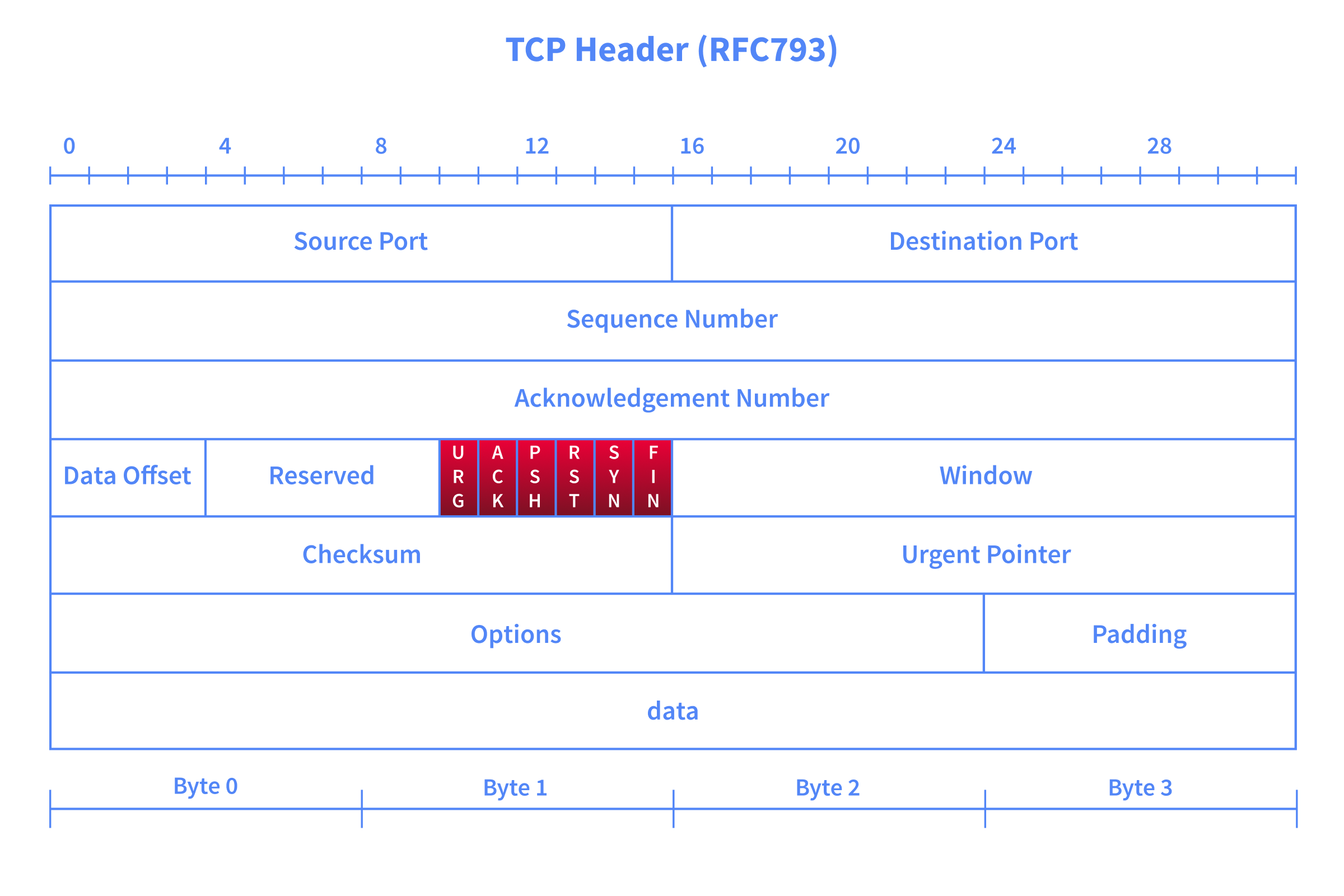
For instance, the ACK flag is set when you acknowledge receipt of data. An ACK scan is like trying to acknowledge data that was neither sent nor received in the first place. Consider this simple analogy: someone coming to you out of nowhere to tell you, “Yes, I hear you, please continue.” when you haven’t said anything.
This room is the third in the Nmap series. In the first two rooms, we learned about live host discovery and basic port scans.
Prerequisites
Before diving in, make sure you have completed the following rooms, as we will build on concepts covered there:
You should also be comfortable with the following concepts from the previous rooms:
- TCP flags (SYN, ACK, FIN, RST, PSH, URG) and how they are used in communication
- The TCP 3-way handshake and how it establishes a connection
- The difference between open, closed, and filtered ports
- Basic Nmap scan types such as TCP connect scan (
-sT) and SYN scan (-sS)
Learning Objectives
This room explains advanced scan types and options. By the end of this room, you will be able to perform the following:
Advanced Port Scan
- Types Null Scan - Send a TCP packet with no flags set to infer open ports from the lack of a response.
- FIN Scan - Send a TCP packet with only the FIN flag to probe ports without initiating a connection.
- Xmas Scan - Set FIN, PSH, and URG flags simultaneously to probe ports behind stateless firewalls.
- Maimon Scan - Set FIN and ACK flags together to exploit a behaviour found in certain BSD-derived systems.
- ACK Scan - Send a packet with only the ACK flag to map firewall rules rather than discover open ports.
- Window Scan - Examine the TCP Window field in RST responses to differentiate open from closed ports.
- Custom Scan - Use --scanflags to craft your own TCP flag combinations for tailored probing.
Evasion and Spoofing Techniques
- Spoofing IP - Forge the source IP address using -S so scan traffic appears to originate from a different host.
- Spoofing MAC - Forge the source MAC address using --spoof-mac when on the same local network as the target.
- Decoy Scan - Mix your real IP among multiple decoy addresses using -D to obscure the true scan source.
- Fragmented Packets - Split packets into smaller IP fragments using -f or -ff to evade firewalls and IDS.
- Idle/Zombie Scan - Use an idle third-party host with -sI to scan a target without revealing your own IP address.
Moreover, we will explore options for getting more verbose details from Nmap, including --reason, -v, -vv, and debugging flags.
Connecting to the Machine
Launch the AttackBox by using the Start AttackBox button and the Lab machine by using the Start Lab Machine button. Get ready to experiment with different Nmap scan types against various lab machines.
Set up your virtual environment
To successfully complete this room, you'll need to set up your virtual environment. This involves starting both your AttackBox (if you're not using your VPN) and Lab Machines, ensuring you're equipped with the necessary tools and access to tackle the challenges ahead.

Attacker machine
Status:Off
Lab machine
Status:Off
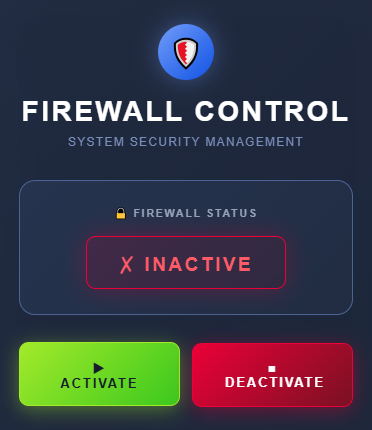
We will discuss options and techniques to evade firewalls and IDS systems. We also cover options to get more verbose details from Nmap. In the upcoming exercises, we will also observe the machine's behaviour with and without a firewall. You can access the link http://MACHINE_IP:5000 to enable or disable the , it is disabled by default, as shown below:
Answer the questions below
I have started the machines.
Ready to learn Cyber Security?
The Nmap Advanced Port Scans room is only available for Premium or Max subscribers. Signup now to access more than 500 free rooms and learn cyber security through a fun, interactive learning environment.
Already have an account? Log in