
Operating System Security
Premium roomThis room introduces users to operating system security and demonstrates SSH authentication on Linux.
easy


To access material, start machines and answer questions login.
Every day you use a smartphone or a laptop or almost any type of computer, you interact directly or indirectly with an operating system. Operating systems include MS Windows, macOS, iOS, Android, Chrome , and . But what is an operating system? To define an operating system, we need to visit one computer term: hardware.
Computer hardware refers to all the computer parts and peripherals that you can touch with your hand. Hardware includes the screen, the keyboard, the printer, the USB flash memory, and the desktop board. As shown in the figure below, the desktop board contains many components, in particular, a central processing unit () and memory chips (). Although not shown in the image below, the desktop board is usually connected to a storage device (HDD or SSD).
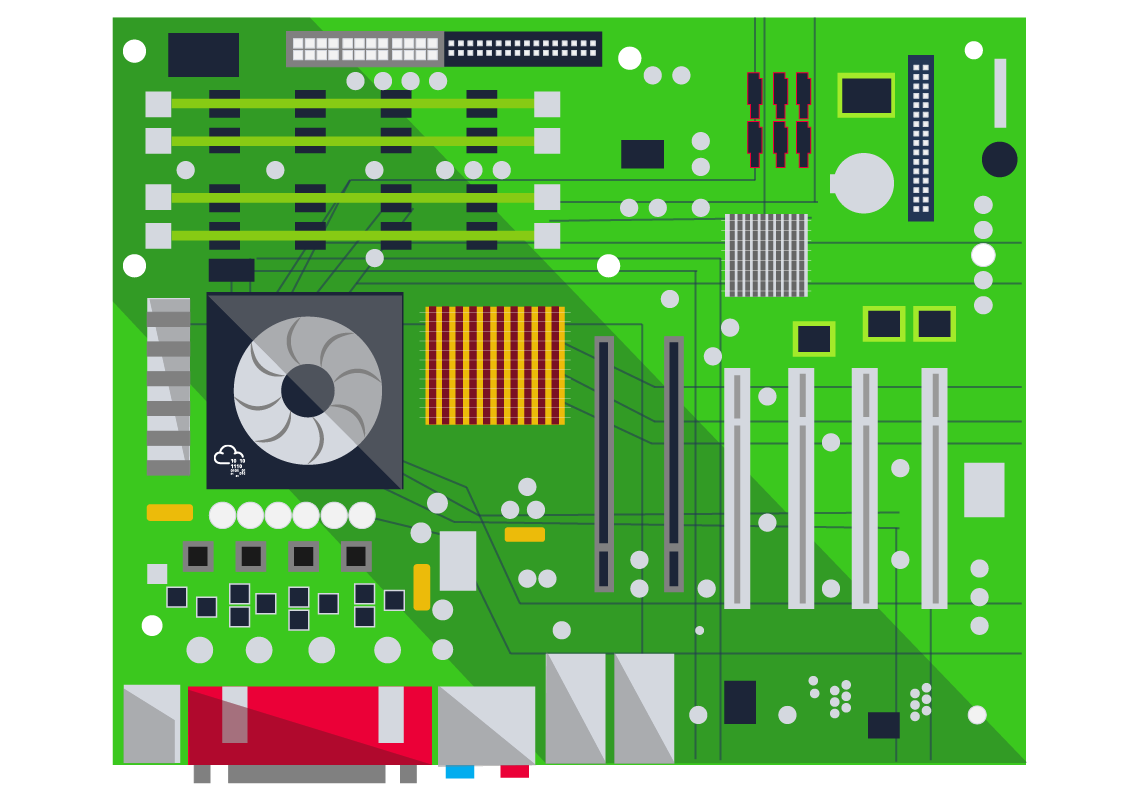
The desktop board is the main part of a computer, and all the other pieces of hardware from keyboard and mouse to screen and printer connect to it. However, hardware components by themselves are useless if you want to run your favorite programs and applications. We need an Operating System to control and “drive” them.
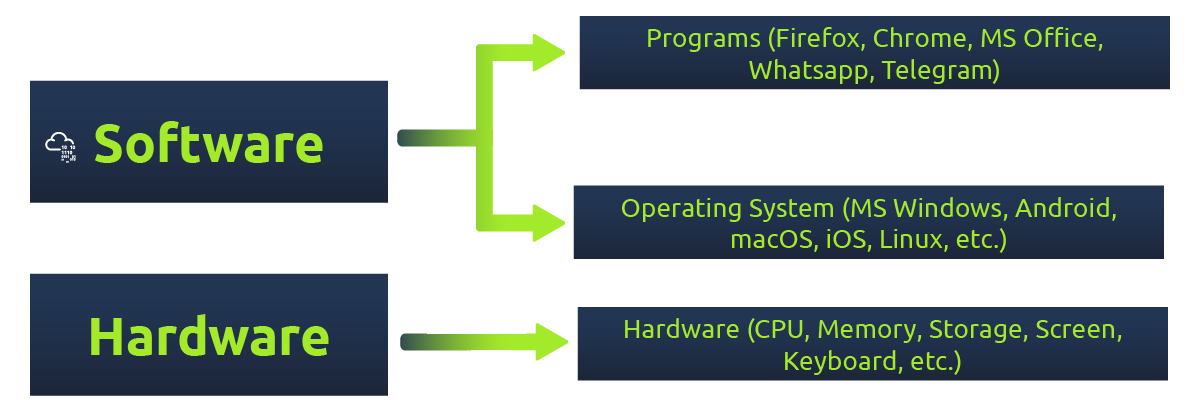
The Operating System (OS) is the layer sitting between the hardware and the applications and programs you are running. Example programs you would use daily might include a web browser, such as Firefox, Safari, and Chrome, and a messaging app, such as Signal, WhatsApp, and Telegram. All the programs and applications cannot run directly on the computer hardware; however, they run on top of the operating system. The operating system allows these programs to access the hardware according to specific rules.
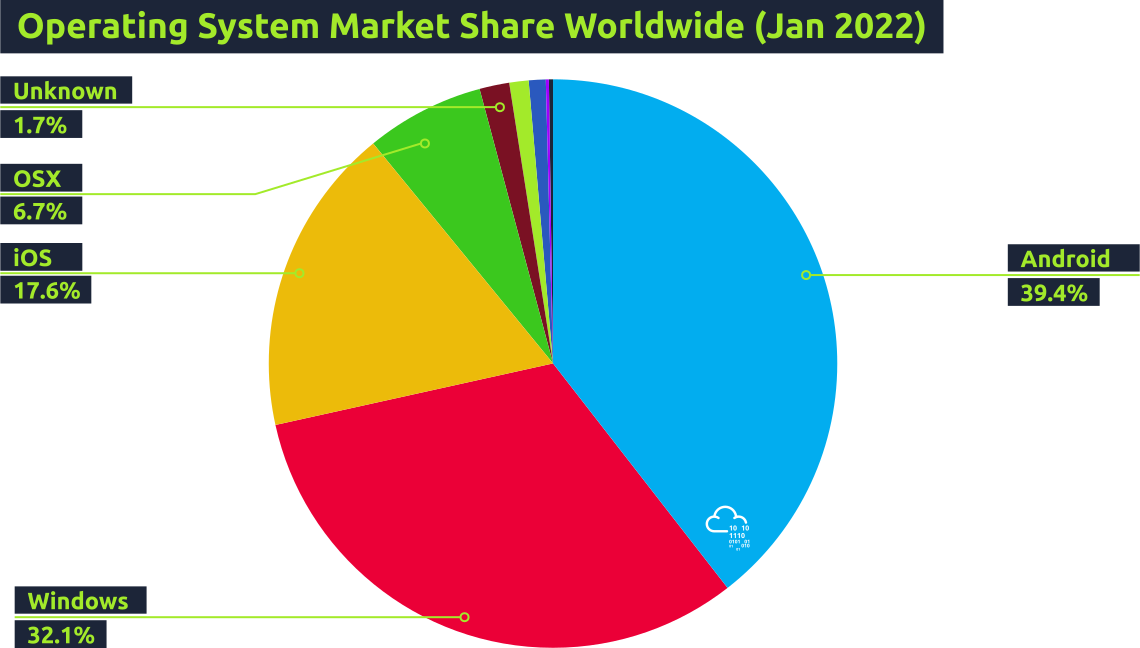
Some operating systems are designed to run on laptops and personal desktops, such as MS Windows 11 and macOS. Other operating systems are designed specifically for smartphones, such as Android and iOS. There are also operating systems intended for servers; examples include MS Windows Server 2022, IBM AIX, and Oracle Solaris. Finally, there are operating systems that you can use on a personal computer and server; one example is Linux. The image below shows the popularity of the different operating systems used to browse the Internet according to Statcounter based on the data collected during January 2022.
Your smartphone might be running Android or iOS, and you might have plenty of private data on it. Examples include:
- Private conversations with your family and friends
- Private photos with family and friends
- Email client that you use for personal and work communications
- Passwords saved in the web browser (or even in notes)
- E-banking apps
The list of confidential and private data goes on. You don’t want someone you don’t trust to open your phone and go through your photos, conversations, and apps. Hence, you need to secure your phone and its operating system.
The same goes for your laptop or computer running MS Windows, macOS, or Linux. Your computer will most likely contain plenty of information such as:
- Confidential files related to your work or university
- Private personal files, such as a copy of your ID or passport
- Email programs, such as MS Outlook and Mozilla Thunderbird
- Passwords saved in web browsers and other apps
- Copy of digital camera and smartphone photos
The list can get very long, depending on the type of user. And considering the nature of the saved data, you want to ensure that your data is secure. When we talk about security, we should think of protecting three things:
- Confidentiality: You want to ensure that secret and private files and information are only available to intended persons.
- : It is crucial that no one can tamper with the files stored on your system or while being transferred on the network.
- Availability: You want your laptop or smartphone to be available to use anytime you decide to use it.
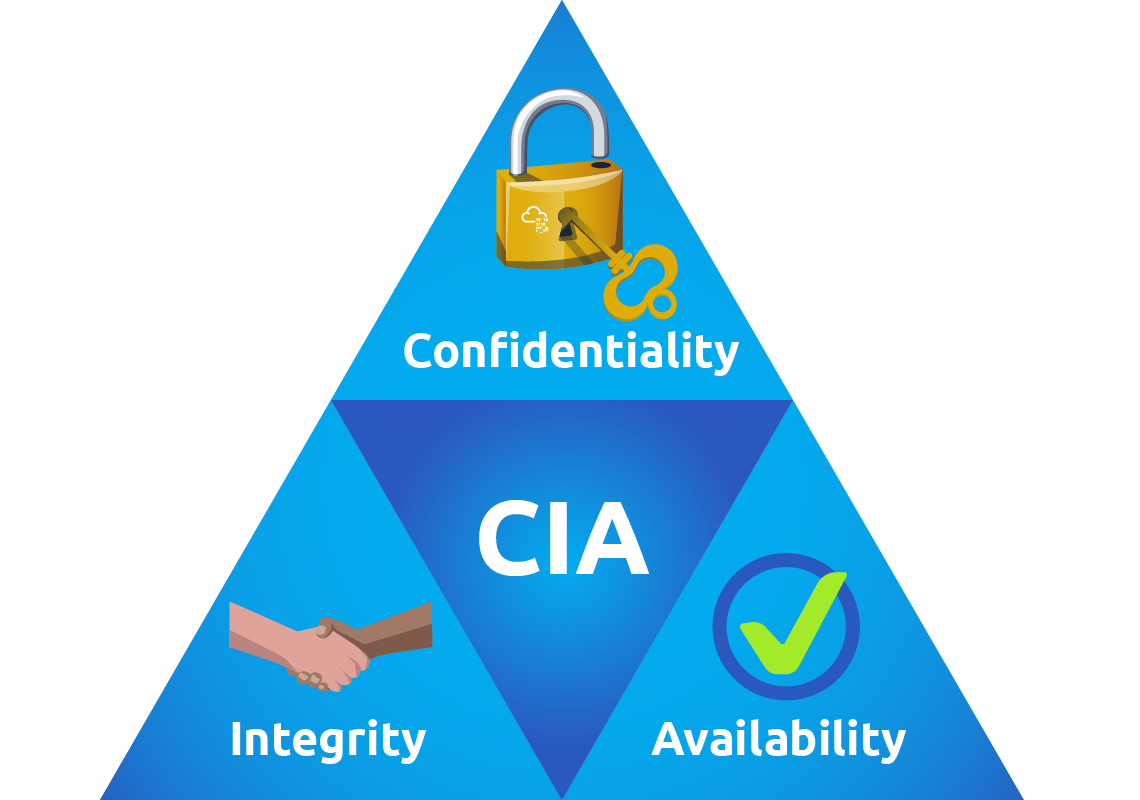
In the next task, we will discuss common attacks against these security pillars.
Which of the following is not an operating system?
- AIX
- Android
- Chrome OS
- Solaris
- Thunderbird
Ready to learn Cyber Security?
The Operating System Security room is only available for Premium or Max subscribers. Signup now to access more than 500 free rooms and learn cyber security through a fun, interactive learning environment.
Already have an account? Log in