Back to all walkthroughs



Network Security Solutions
Learn about and experiment with various IDS/IPS evasion techniques, such as protocol and payload manipulation.
medium
To access material, start machines and answer questions login.
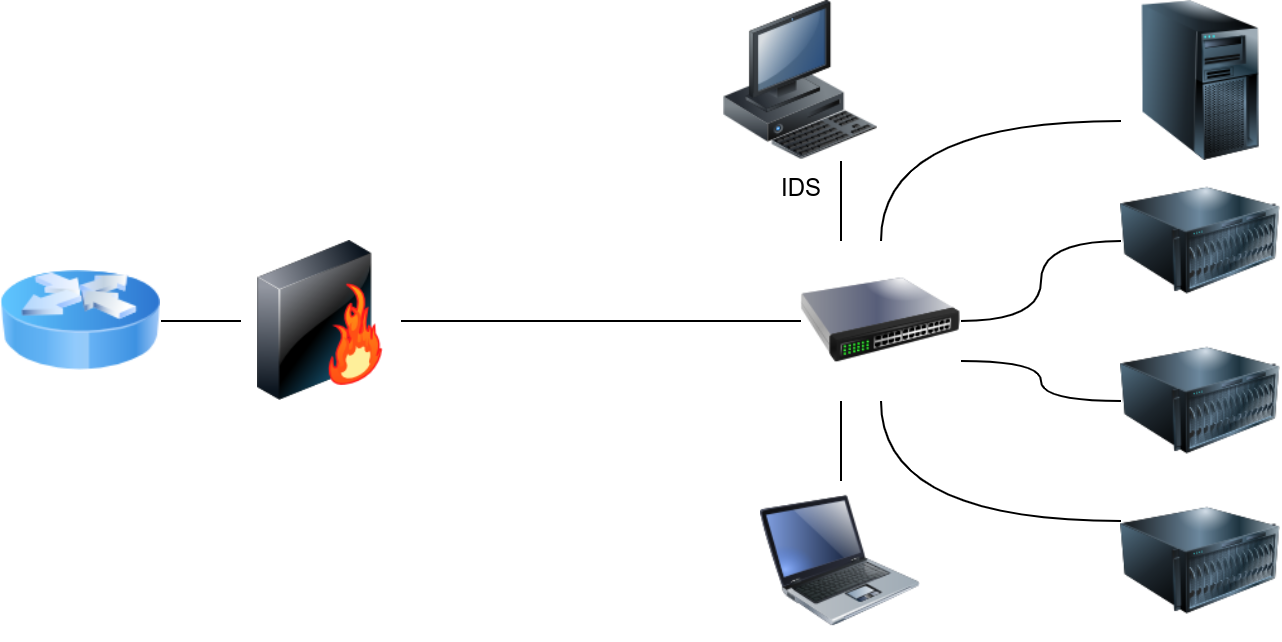
An Intrusion Detection System () is a system that detects network or system intrusions. One analogy that comes to mind is a guard watching live feeds from different security cameras. He can spot a theft, but he cannot stop it by himself. However, if this guard can contact another guard and ask them to stop the robber, detection turns into prevention. An Intrusion Detection and Prevention System (IDPS) or simply Intrusion Prevention System () is a system that can detect and prevent intrusions.
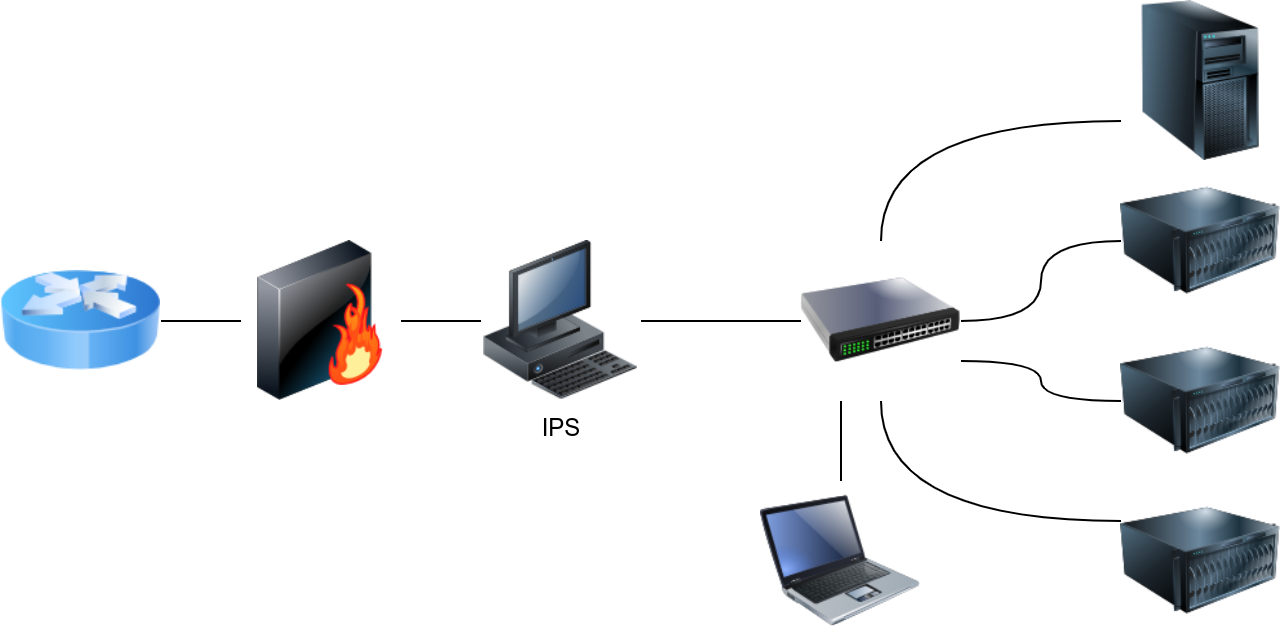
Understanding the difference between detection and prevention is essential. Snort is a network intrusion detection and intrusion prevention system. Consequently, Snort can be set up as an IDS or an IPS. For Snort to function as an IPS, it needs some mechanism to block (drop) offending connections. This capability requires Snort to be set up as inline and to bridge two or more network cards.
As a signature-based network IDS, Snort is shown in the figure below.
The following figure shows how Snort can be configured as an IPS if set up inline.
IDS setups can be divided based on their location in the network into:
- Host-based IDS ()
- Network-based IDS ()
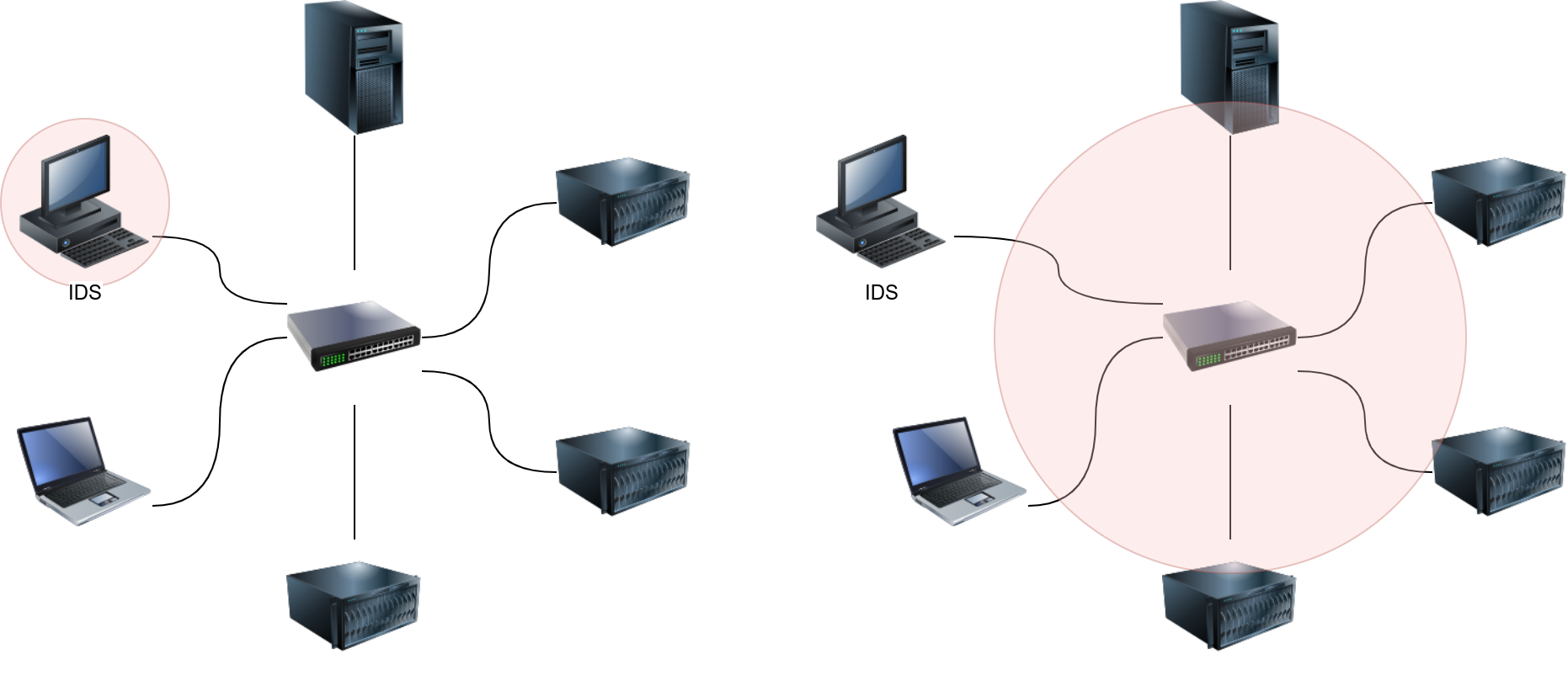
The host-based IDS (HIDS) is installed on an along with the other running applications. This setup will give the HIDS the ability to monitor the traffic going in and out of the host; moreover, it can monitor the processes running on the host.
The network-based IDS (NIDS) is a dedicated appliance or server to monitor the network traffic. The NIDS should be connected so that it can monitor all the network traffic of the network or VLANs we want to protect. This can be achieved by connecting the NIDS to a monitor port on the switch. The NIDS will process the network traffic to detect malicious traffic.
In the figure below, we use two red circles to show the difference in the coverage of a HIDS versus a NIDS.
Answer the questions below
What does an IPS stand for?
What do you call a system that can detect malicious activity but not stop it?
Ready to learn Cyber Security?
The Network Security Solutions room is only available for Premium or Max subscribers. Signup now to access more than 500 free rooms and learn cyber security through a fun, interactive learning environment.
Already have an account? Log in