

Search Skills
Learn to efficiently search the Internet and use specialised services and technical docs for information
easy

To access material, start machines and answer questions login.
This room will show you examples of popular websites and services that can be used to gather information for a variety of cyber security purposes, both offensive and defensive.
Whether you're hunting down an exploit, trying to understand how a tool works, tracking a threat actor, knowing where to search is just as important as knowing what to search for.
Using the internet and it's resources effectively is a critical skill in cyber security.
If you're ready, let's explore some of these services below!
I'm ready to begin!
Shodan is often described as a search engine for the Internet of Things (), but that undersells it. Shodan continuously scans the internet, searching for networking equipment, industrial control systems, traffic cameras, and virtually anything else with a public network connection to see what's running and where.
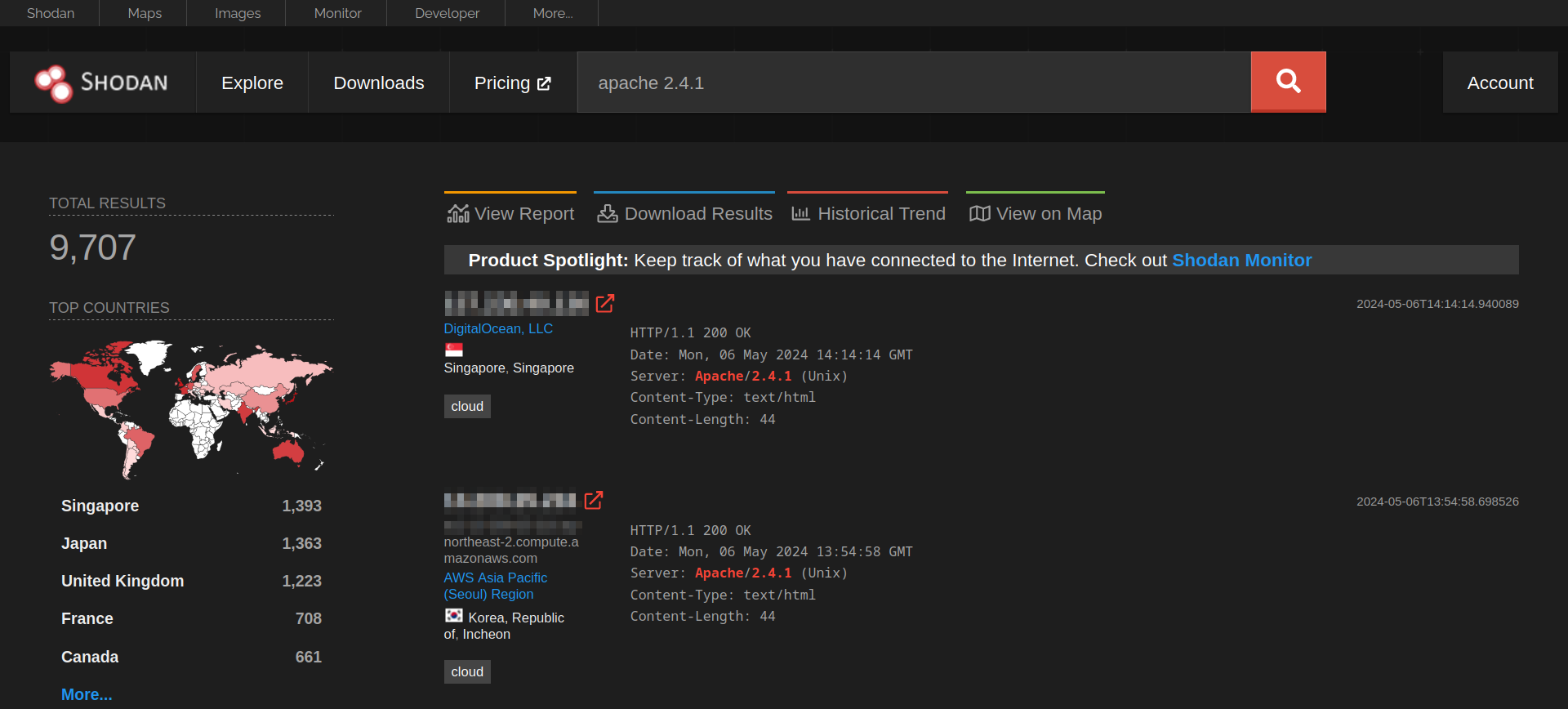
For example, searching apache 2.4.1 will return a list of servers advertising that version in their HTTP headers, broken down by country, organisation, and port. During a penetration test or vulnerability assessment, that kind of visibility is extremely useful, particularly when paired with a known CVE affecting that version.
Shodan also supports its own query filters, which let you narrow results significantly:
| Filter | Description | Example |
country |
Restrict results to a specific country code. | country:IE |
port |
Filter by a specific port number or a range. | port:22 |
org |
Scope results in a named organisation or ASN Identifier (Who owns a range of IP addresses). | AS7224(Amazon Web Services) |
hostname |
Match against a specific hostname or domain. | hostname:fakebank.thm |
Practical
Click the view site button below to start our Shodan simulation:
You'll need to...
apache in the search bar of TryScanMe. is a popular type of web serverWhat domain is associated with the IP address 185.243.115.47?
VirusTotal collates results from over 70 antivirus engines and website scanners into a single interface. Submit a file, a URL, a domain, or a file hash. VirusTotal will tell you whether any of those engines have flagged it as malicious or not.
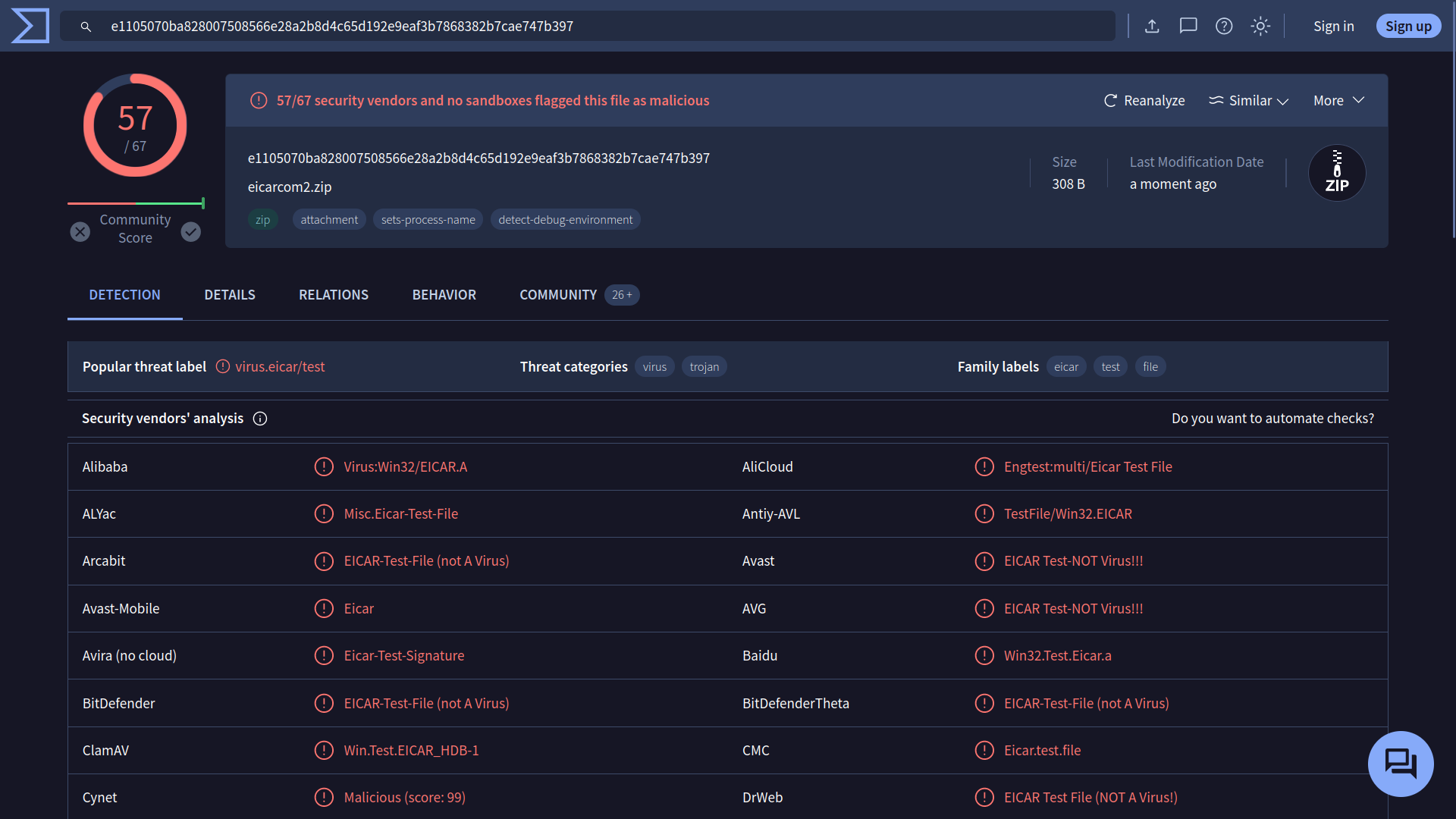
Whilst not foolproof, VirusTotal is a popular resource in the blue teaming community for obtaining a general consensus on suspicious files and links, as well as for gathering intelligence on new threats on the move.
Practical
Click the view site button below to start our VirusTotal simulation:
You'll need to...
invoice_payment.exe on TryDetectMe.How many security vendors have identified the file as dangerous?
You can see a total count at the top of the page.
The Common Vulnerabilities and Exposures () programme is the closest thing the industry has to a universal dictionary of known vulnerabilities.
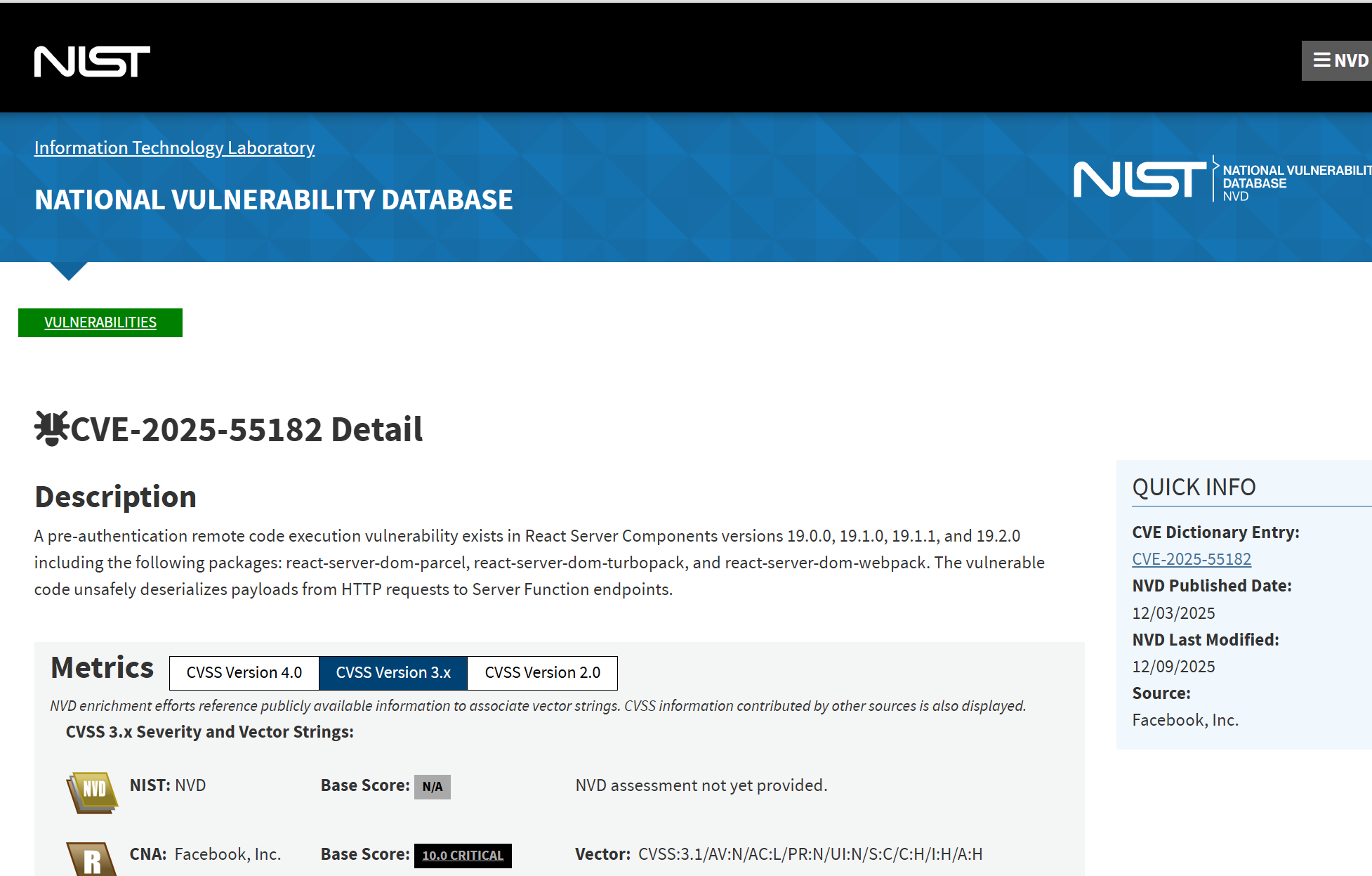
Each confirmed vulnerability is assigned a unique identifier in the format CVE-YEAR-NUMBER, such as CVE-2025-55182. If the vulnerability is impactful enough, it may even get a moniker. You may have heard of vulnerabilities such as Heartbleed, React2Shell, and Log4Shell. These vulnerabilities are given a score (CVSS) based on a variety of factors, such as:
- Impact - What damage can this vulnerability lead to?
- Complexity - Is the vulnerability easy to exploit or not?
- Availability - How likely is it that someone can exploit this?
These identifiers function as a reference point among vendors, researchers, security tools, and documentation, ensuring that everyone discussing a vulnerability refers to the same issue. Websites like ExploitDB compile this information alongside "Proof of Concepts" (PoCs), which are scripts capable of demonstrating the vulnerability.
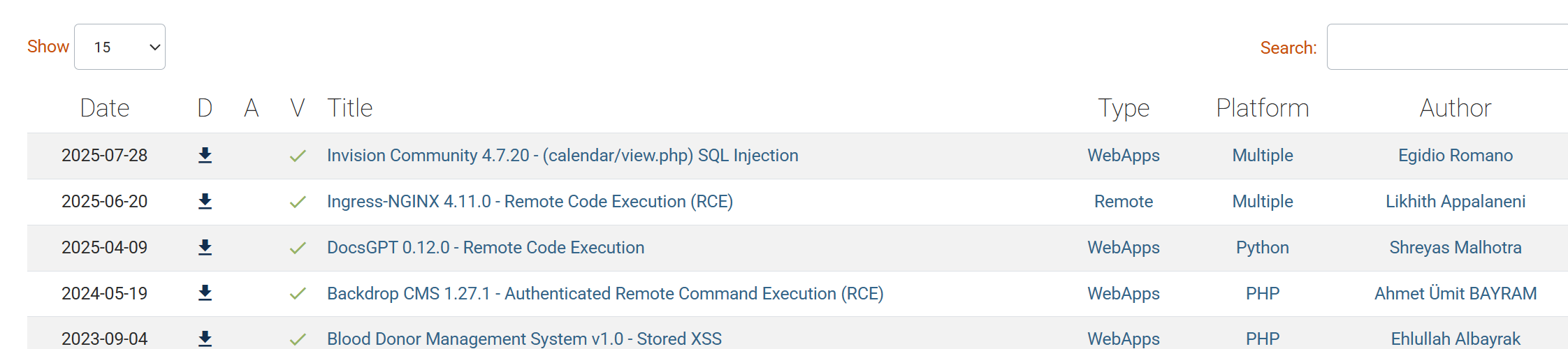
Practical
For this section, you will be interacting with TryHackMe's Vulnerability Database. Click the "Show Site" button below to get started.
You'll need to...
CVE-2026-1337What CVSS (Common Vulnerability Scoring System) classification did the vulnerability get?
Product and Tool Documentation
Each major security tool or platform provides its own documentation, which is the most reliable and up-to-date than any third-party tutorials.
When you're troubleshooting unexpected behaviour or trying to understand how to use a tool in a certain way, the official documentation should always be your first stop - not your last.
Man Pages
Have you ever come across a command-line tool or command that you're not familiar with? MANual pages have got your back. These pages serve as documentation that you can read within your terminal about any command on , and a majority of cybersecurity tooling
To view the manual page, run man <command>. For example:
           user@thm$ man nc
NC

NAME
       nc — arbitrary TCP and UDP connections and listens

SYNOPSIS
       nc  [-46bCDdFhklNnrStUuvZz]  [-I  length]  [-i  interval]  [-M  ttl] [-m minttl] [-O length] [-P proxy_username] [-p source_port] [-q seconds] [-s sourceaddr] [-T keyword] [-V rtable] [-W recvlimit] [-w timeout]
          [-X proxy_protocol] [-x proxy_address[:port]] [destination] [port]
Practical
For this section of the practical, you will be interacting with a simulation of these manual pages. Click the "Show Site" button below to get started.
You'll need to...
nc (netcat)host.example.com on port 42 (this is located at the bottom of the output)What is the example command?
 GitHub can be a great resource for staying updated on the latest threats and vulnerabilities. Researchers often publish proof-of-concept () code, exploitation tools, and detailed technical reports there, which are usually faster than official channels.
Searching for a identifier (e.g., CVE-2026-1337) directly on GitHub often reveals repositories containing PoC code, scanner scripts, or detailed analyses of the vulnerability.
That said, not all PoCs are equally reliable. Some are incomplete, some are intentionally flawed, and occasionally a "PoC" repository is malicious itself. Always verify what you're about to execute.
Practical
For the final portion of the practical, you will be interacting with a repository that contains an. Click the "Show Site" button below to get started.
You'll need to...
CVE-2026-1337What is the name of the script in the repository that will demonstrate the vulnerability?
Ready to learn Cyber Security?
TryHackMe provides free online cyber security training to secure jobs & upskill through a fun, interactive learning environment.
Already have an account? Log in