Back to all walkthroughs

Zeek
Premium roomIntroduction to hands-on network monitoring and threat detection with Zeek (formerly Bro).
medium
To access material, start machines and answer questions login.
Set up your virtual environment
To successfully complete this room, you'll need to set up your virtual environment. This involves starting the Lab Machine, ensuring you're equipped with the necessary tools and access to tackle the challenges ahead.

Lab machine
Status:Off

(formerly Bro) is an open-source and commercial network monitoring tool (traffic analyser).
The official description; "Zeek (formerly Bro) is the world's leading platform for network security monitoring. Flexible, open-source, and powered by defenders." "Zeek is a passive, open-source network traffic analyser. Many operators use Zeek as a network security monitor () to support suspicious or malicious activity investigations. Zeek also supports a wide range of traffic analysis tasks beyond the security domain, including performance measurement and troubleshooting."
The room aims to provide a general network monitoring overview and work with Zeek to investigate captured traffic. This room will expect you to have basic familiarity and Network fundamentals (ports, protocols and traffic data). We suggest completing the "Network Fundamentals" path before starting working in this room.
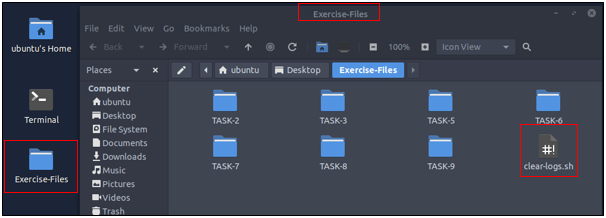
A is attached to this room. You don't need or ; the room provides a "Split View" feature. Exercise files are located in the folder on the desktop. Log cleaner script "clear-logs.sh" is available in each exercise folder.
Answer the questions below
Read the task above.
Ready to learn Cyber Security?
The Zeek room is only available for Premium or Max subscribers. Signup now to access more than 500 free rooms and learn cyber security through a fun, interactive learning environment.
Already have an account? Log in