

Data Representation
Learn about how computers represent numbers and colors.
easy
45 min
53


To access material, start machines and answer questions login.
Are you curious to explore in-depth how computers represent colors and numbers? You are not only interested in seeing a purple color on the screen, but also interested in inspecting how this “purple” is represented in the computer memory. As a bonus, you will also learn how computers manage to do all their calculations when they can read and write only two states and interpret them as 0 and 1.
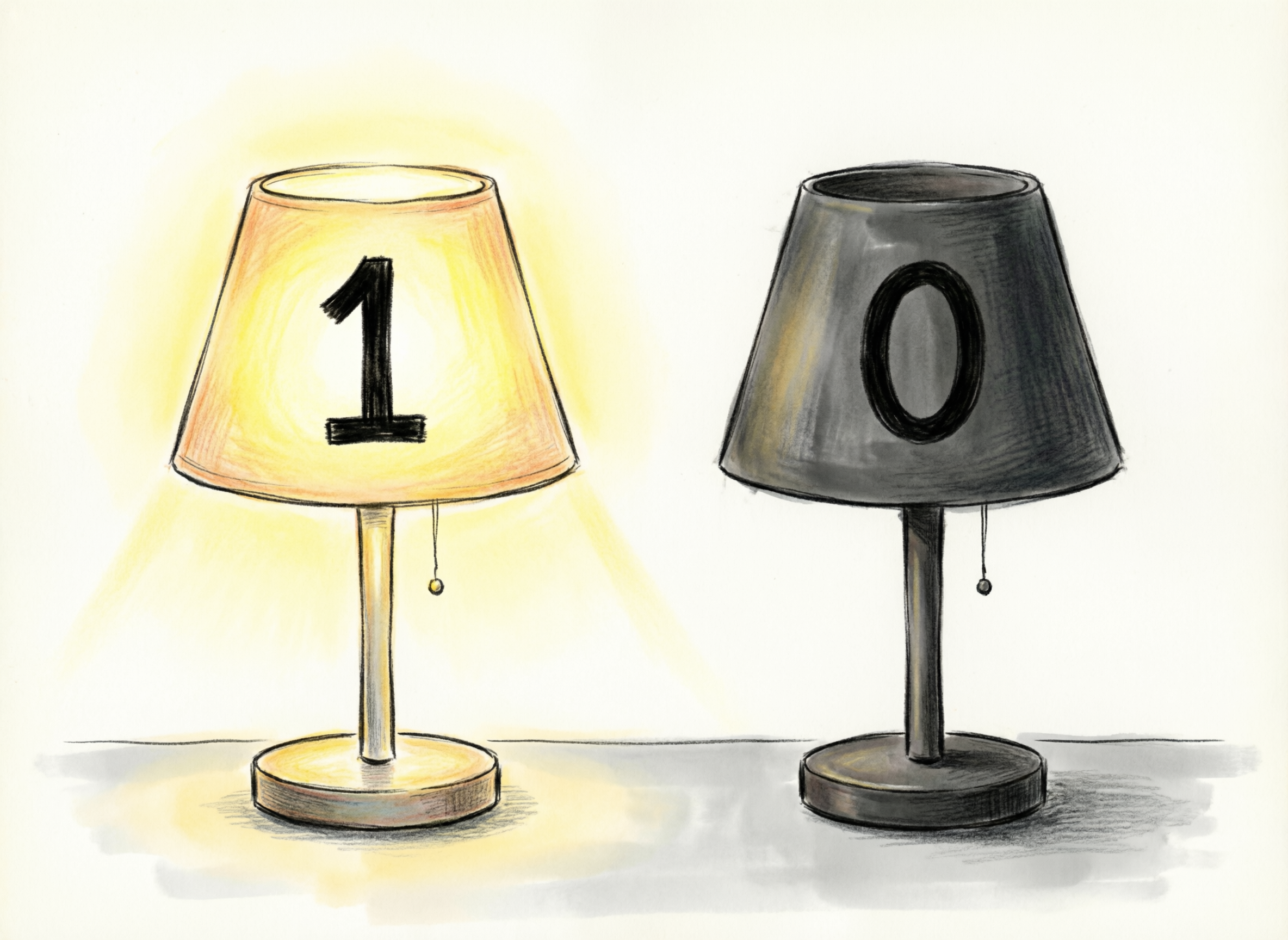
Human beings find it most convenient to use the decimal system for everyday tasks, such as counting, measuring, weighing, and paying. If you like jogging, you might track your progress by timing yourself; for instance, you might say you jogged for 23 minutes. When you look at prices, you expect something like 17, 99, 239, 3049, and so on. Without giving it much thought, we use the decimal system, where the digits range from 0 to 9. Computers, on the other hand, are limited to two digits: 0 and 1. If you have ever wondered how computers represent the different values using only two digits, this room will help you get some answers.
Learning Objectives
- Representing 8 colors
- Representing 16 million colors
- Binary numbers
- Hexadecimal numbers
- (Optional) Octal numbers
After you finish this room, you will have a solid understanding of how computers represent colors and understand numbers (specifically positive integers). Being familiar with binary and hexadecimal system representations is a must when you use various computer tools, especially in the domain of cyber security.
It is time to dive into computer colors!
Our First Eight Colors
By combining different amounts of red, green, and blue lights, you can get any color you like. In computer colors, think of it like three knobs, and each knob controls one of the three colors.
Example
Let’s say that each of the three colors can be either on or off, i.e., each has two states.
- The red light can be either on or off
- The green light can be either on or off
- The blue light can be either on or off
These states give us 2 × 2 × 2 = 8, that’s eight different colors.
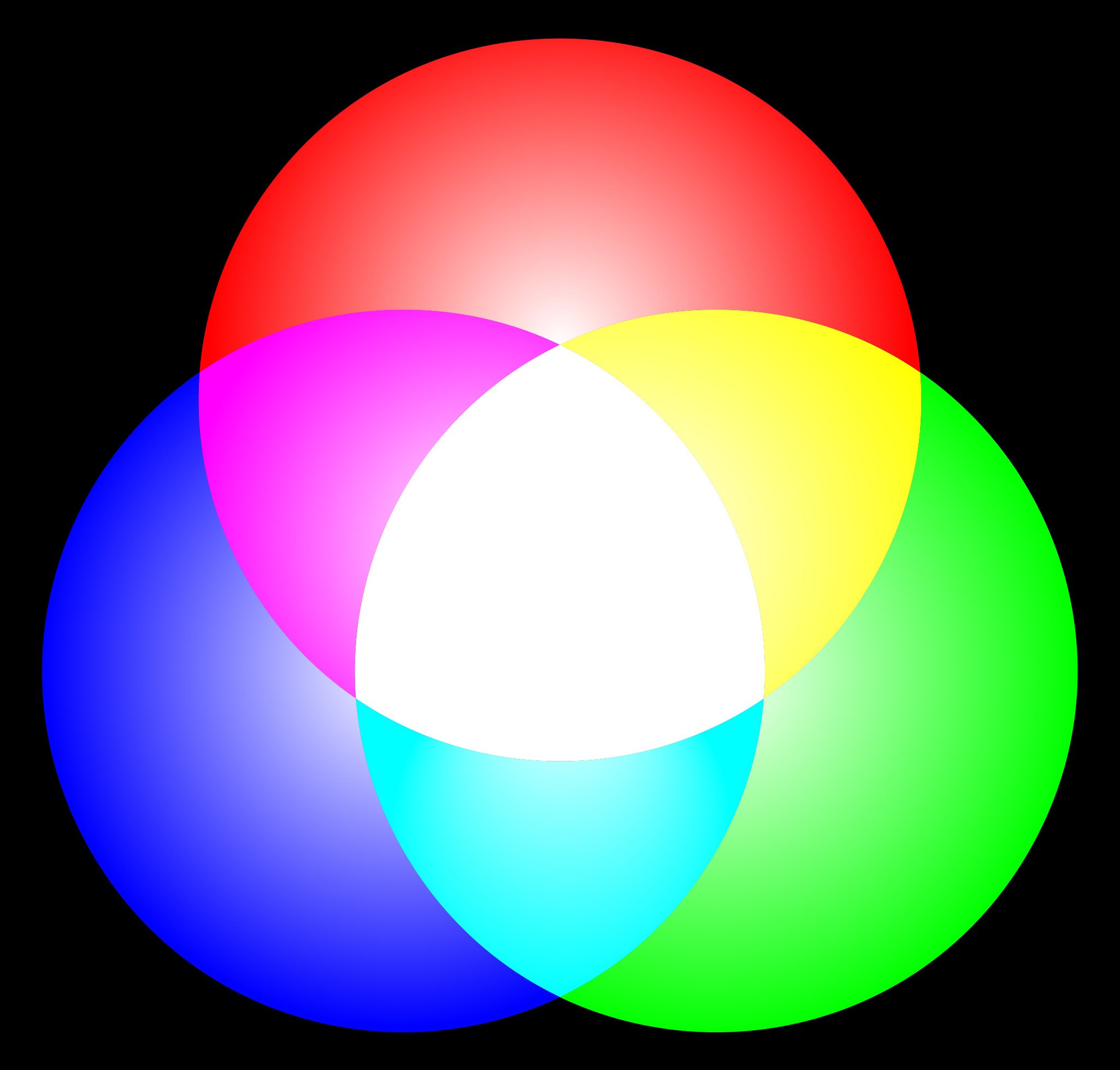
If a computer were limited to 8 colors, it would only need to indicate which color is “switched on” and which is “switched off.” In fact, it can use three digits of 1 and 0 to represent the states of red, green, and blue. For example, 111 would be all 3 lights switched on, while 100 would be only the red switched on. This digit, which can be either 1 or 0, is called a bit.
Now, a computer can represent any of the 8 colors. If this is still unclear, a detailed list is shown in the table below.
| Color Representation | Representation Meaning | Color Name |
|---|---|---|
000 |
All colors are off | Black |
001 |
Only blue is on | Blue |
010 |
Only green is on | Green |
100 |
Only red is on | Red |
011 |
Green and blue are on | Cyan |
101 |
Red and blue are on | Magenta |
110 |
Red and green are on | Yellow |
111 |
All colors are on | White |
We just provided a way to represent a color in a palette of 8 colors.
From 8 to 16,000,000
Being limited to eight colors is inconvenient, as we prefer millions of colors. It would be convenient if each of the 3 lights (red, green, and blue) had 256 levels instead of just 2 (on or off). Let’s repeat the same math as earlier: 256 × 256 × 256 = 16,777,216. That’s more than 16 million colors; that covers most of our needs.
One bit is enough to represent 2 states: on and off. We need 8 bits to express 256 states. In most textbooks, a group of 8 bits is referred to as a byte; however, you can also use the term octet.
Putting all this together, you would realise that a color is now represented as 3 × 8 bits, or 3 bytes (24 bits). For example, one green color used on this page is represented as 10100011 11101010 00101010; that’s not a very convenient way to type or read color codes. Here comes the hexadecimal representation to the rescue!
Hexadecimal Representation
Hexadecimal representation makes it easy to combine 4 bits into a single character, a hexadecimal digit, to be specific. For now, please think of the hexadecimal digits as symbols where each symbol represents a set of 4 bits. We will revisit hexadecimal numbers in Task 3.
| Hexadecimal Digit | Binary Representation |
|---|---|
0 |
0000 |
1 |
0001 |
2 |
0010 |
3 |
0011 |
4 |
0100 |
5 |
0101 |
6 |
0110 |
7 |
0111 |
8 |
1000 |
9 |
1001 |
A |
1010 |
B |
1011 |
C |
1100 |
D |
1101 |
E |
1110 |
F |
1111 |
Going back to the green color, instead of typing 10100011 11101010 00101010, we can type A3EA2A. In fact, that’s how you specify the color in graphics programs. For your convenience, the attached static site helps you convert a hex color into its binary and decimal representations, along with a color preview.
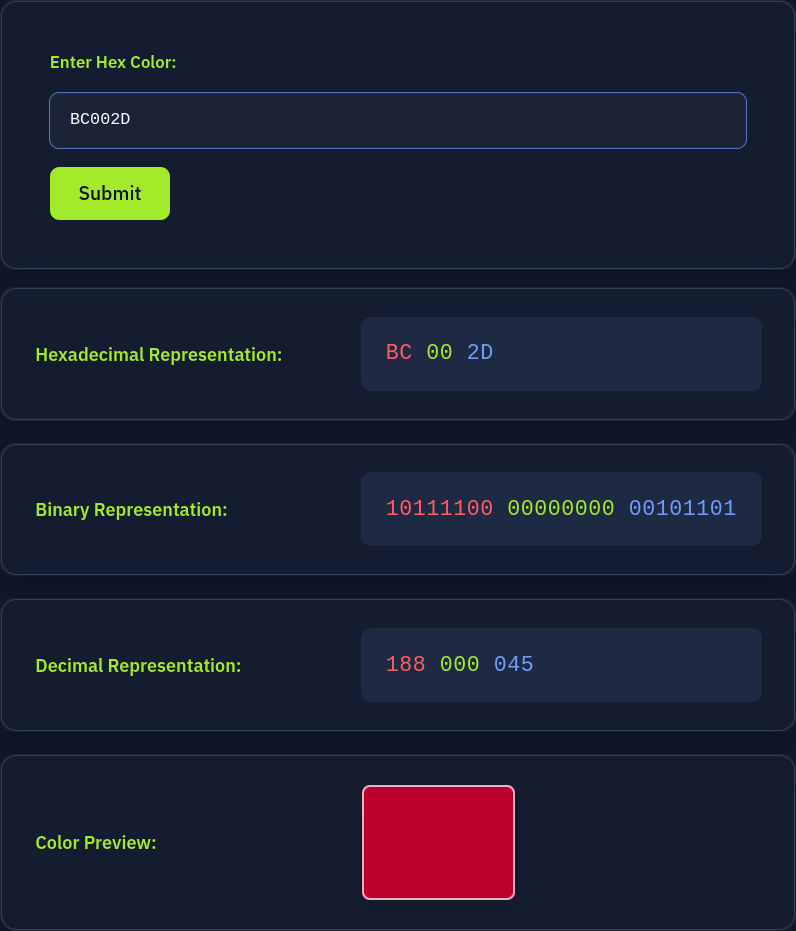
To summarise what we have covered so far:
- In real-life applications, a color is represented in 24 bits, i.e., 3 bytes
- Each byte can represent 256 different values
- Each of the three bytes specifies the intensity of the red, green, and blue lights
- Every 4 bits are represented by one hexadecimal digit
- Each byte is represented as two hexadecimal digits
Click on the View Site button below and use it to answer the following questions.
Preview the color #3BC81E. In one word, what does this color appear to be?
What is the binary representation of the color #EB0037?
What is the decimal representation of the color #D4D8DF?
Human beings have ten fingers, and this is the most plausible explanation for why we use the decimal (base-10) system in our everyday lives. Computers, on the other hand, have two fingers states that they understand:
- Low and High in voltage range (example: transistor-transistor logic)
- North and South in magnetic polarity (example: hard disk drives)
- Light presence (example: fiber optics)
Let’s consider the first example. On the electronic level, a transistor either passes or blocks electric current. Consequently, in all digital systems, everything boils down to a low or high state, representing 0 and 1, respectively. (For example, the low range can be voltage between 0 and 0.8 volts, while the high range is between 2 and 3.3 volts, or 2.7 and 5 volts, depending on the electronic system.) We are not affected by how the 0 and the 1 are represented on the physical level; however, we are concerned with how to use these two digits to represent data, such as numbers.
In the previous task, we saw that we can use a set of bits to fine-tune the steps. For instance, 1 bit can represent 2 states, while 8 bits can represent 256 states. In this task, we will learn a bit more about the math behind it; however, don’t worry if it appears complex at first glance. Things will make more sense as you progress in your learning journey.
In simple math terms, a number such as 213 is actually the same as saying 200 + 10 + 3. Isn’t this right?
In a more technical representation, 213 can be written as 213 = 2 × 10² + 1 × 101 + 3 × 100. As you would remember from the math class, 102 = 100, 101 = 10, and 100 = 1.
Consequently, this was just the formal mathematical way of saying 213 = 2 × 100 + 1 × 10 + 3 × 1. If you have not worked with math for some time, please give this some thought and a second read before you move on.
Binary Numbers
The binary (base-2) system can be expressed similarly to what we wrote earlier, discussing the decimal (base-10) system. The key differences are that the binary system is limited to two digits, 0 and 1, and that everything is a power of 2. Let’s consider a couple of examples.
The binary number 1001 can be expressed as follows: 1001 = 1 × 23 + 0 × 22 + 0 × 21 + 1 × 20 = 1 × 8 + 0 × 4 + 0 × 2 + 1 × 1 = 8 + 0 + 0 + 1 = 9. We just demonstrated how to write 9 in binary.
Following the same approach, it won’t be challenging to convert the binary numbers 0000, 0001, 0010, 0011 to the decimal system. Let’s go through these four conversions.
0000 = 0 × 23 + 0 × 22 + 0 × 21 + 0 × 20 = 0 × 8 + 0 × 4 + 0 × 2 + 0 × 1 = 0
0001 = 0 × 23 + 0 × 22 + 0 × 21 + 1 × 20 = 0 × 8 + 0 × 4 + 0 × 2 + 1 × 1 = 1
0010 = 0 × 23 + 0 × 22 + 1 × 21 + 0 × 20 = 0 × 8 + 0 × 4 + 1 × 2 + 0 × 1 = 2
0011 = 0 × 23 + 0 × 22 + 1 × 21 + 1 × 20 = 0 × 8 + 0 × 4 + 1 × 2 + 1 × 1 = 3
If this is your first time working with different bases, you might have already figured out that the rightmost digit is multiplied by 20 in the case of the binary (base-2) system and multiplied by 100 in the case of the decimal (base-10) system. Then, the next digit is multiplied by 21 in the base-2 system and by 101 in the base-10 system. And so forth till we reach the leftmost digit. It is easy, but requires careful attention not to miss any digit or misjudge its power.
As an exercise, we will convert four more binary numbers, 1100, 1101, 1110, and 1111, to the decimal system. Try to do this on a piece of paper before comparing your answers with the solutions below.
1100 = 1 × 23 + 1 × 22 + 0 × 21 + 0 × 20 = 1 × 8 + 1 × 4 + 0 × 2 + 0 × 1 = 8 + 4 + 0 + 0 = 12
1101 = 1 × 23 + 1 × 22 + 0 × 21 + 1 × 20 = 1 × 8 + 1 × 4 + 0 × 2 + 1 × 1 = 8 + 4 + 0 + 1 = 13
1110 = 1 × 23 + 1 × 22 + 1 × 21 + 0 × 20 = 1 × 8 + 1 × 4 + 1 × 2 + 0 × 1 = 8 + 4 + 2 + 0 = 14
1111 = 1 × 23 + 1 × 22 + 1 × 21 + 1 × 20 = 1 × 8 + 1 × 4 + 1 × 2 + 1 × 1 = 8 + 4 + 2 + 1 = 15
Having come this far, it is time to revisit the hexadecimal system.
Hexadecimal Numbers
In Task 2, we grouped every 4 bits into a single hexadecimal digit. As we’ve seen earlier, a hexadecimal digit ranges between 0 and F. By taking a closer look at the table below, you will notice that a hexadecimal digit ranges between 0 and 15 in the decimal system. To replace 10, 11, 12, 13, 14, and 15 each with a single letter/digit, A, B, C, D, E, and F are chosen. The table below is something you would encounter in any tutorial or chapter on the hexadecimal system.
| Decimal Number | Hexadecimal Digit | Binary Representation |
|---|---|---|
| 0 | 0 |
0000 |
| 1 | 1 |
0001 |
| 2 | 2 |
0010 |
| 3 | 3 |
0011 |
| 4 | 4 |
0100 |
| 5 | 5 |
0101 |
| 6 | 6 |
0110 |
| 7 | 7 |
0111 |
| 8 | 8 |
1000 |
| 9 | 9 |
1001 |
| 10 | A |
1010 |
| 11 | B |
1011 |
| 12 | C |
1100 |
| 13 | D |
1101 |
| 14 | E |
1110 |
| 15 | F |
1111 |
Optional: Converting From Hexadecimal to Decimal System
This subsection is optional. If you are curious about converting a hexadecimal number to a decimal number, you would follow the same approach we used for binary conversion. Let’s say that we want to convert the hexadecimal number 9B DF to decimal.
9BDF = 9 × 163 + 11 × 162 + 13 × 161 + 15 × 160 = 9 × 4096 + 11 × 256 + 13 × 16 + 15 × 1 = 39,903
Optional: Octal Numbers
The octal system refers to base 8. In other words, it uses the digits between 0 and 7. While the hexadecimal system uses base 16 and groups 4 bits, the octal system uses base 8 and groups 3 bits. The table below shows how the octal digits relate to their binary counterparts.
| Decimal Number | Octal Digit | Binary Representation |
|---|---|---|
| 0 | 0 |
000 |
| 1 | 1 |
001 |
| 2 | 2 |
010 |
| 3 | 3 |
011 |
| 4 | 4 |
100 |
| 5 | 5 |
101 |
| 6 | 6 |
110 |
| 7 | 7 |
111 |
Optional: Converting From Octal to Decimal System
Converting an octal number to its decimal equivalent follows the steps of the previous conversions. Consider the octal number 357.
357 = 3 × 82 + 5 × 81 + 7 × 80 = 3 × 64 + 5 × 8 + 7 × 1 = 239
Click on the View Site button below and use it to answer the following questions.
What is the hexadecimal FF in binary?
What is the hexadecimal AB in decimal?
Convert the hexadecimal FF FF FF to decimal. After you round up the decimal value to the nearest million, how many millions is that?
In this room, we covered several topics related to how numeric values are represented and stored in computer memory. We covered the following systems:
- Decimal (Base-10) system: This is the system we use in our everyday life.
- Binary (Base-2) system: Computers understand two states, which are encoded as
0and1. - Hexadecimal (Base-16) system: Every 4 binary digits (bits) can be grouped as one hexadecimal digit. A hexadecimal digit ranges between
0andF. - Octal (Base-8) system: Every 3 binary digits (bits) can be grouped as one octal digit. An octal digit ranges between
0and7. This one is less commonly encountered on computer systems.
Moreover, we learned how a color can be represented. We covered:
- Bit: It is short for binary digit, and it can be either
0or1. - Byte: On modern systems, a byte is 8 bits. It is also referred to as an octet.
- Hex color: A color is represented as a combination of red, green, and blue on computer systems. If one byte is assigned for each of the primary colors (red, green, and blue), we can get more than 16 million color combinations.
In the Data Encoding room, we will explore how the alphabets of the various languages are saved. In addition to letters, we will see how emojis are saved as bits.
It is time to join the Data Encoding room and dive deeper into bits.
Ready to learn Cyber Security? Create your free account today!
TryHackMe provides free online cyber security training to secure jobs & upskill through a fun, interactive learning environment.
Already have an account? Log in