Task 1: Azure Portal Access
Azure CLI
To solve this challenge, you'll need the Azure CLI installed on your device. If you'd rather work from your own workstation instead of the provided environment, here's how to get it set up:
- Windows: Install the Azure CLI on Windows
- Linux: Install the Azure CLI on Linux
- macOS: Install the Azure CLI on macOS
Once installed, verify it's working with az --version.
Azure CLI via Azure Cloud Shell
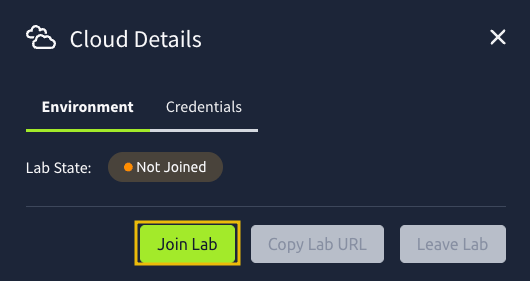
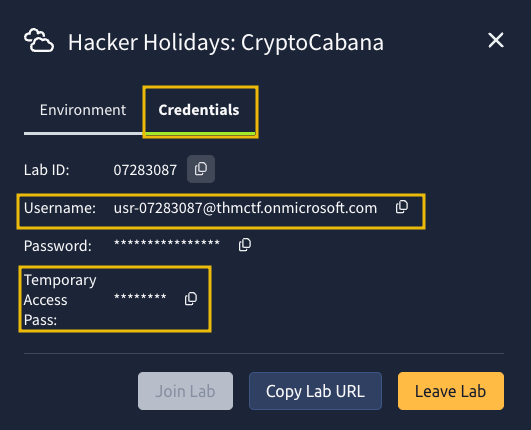
Alternatively, you may press the Cloud Details button below to generate your Azure Portal credentials.
Once done, get the Username (email) and Temporary Access Pass, and log in to the Azure Portal.
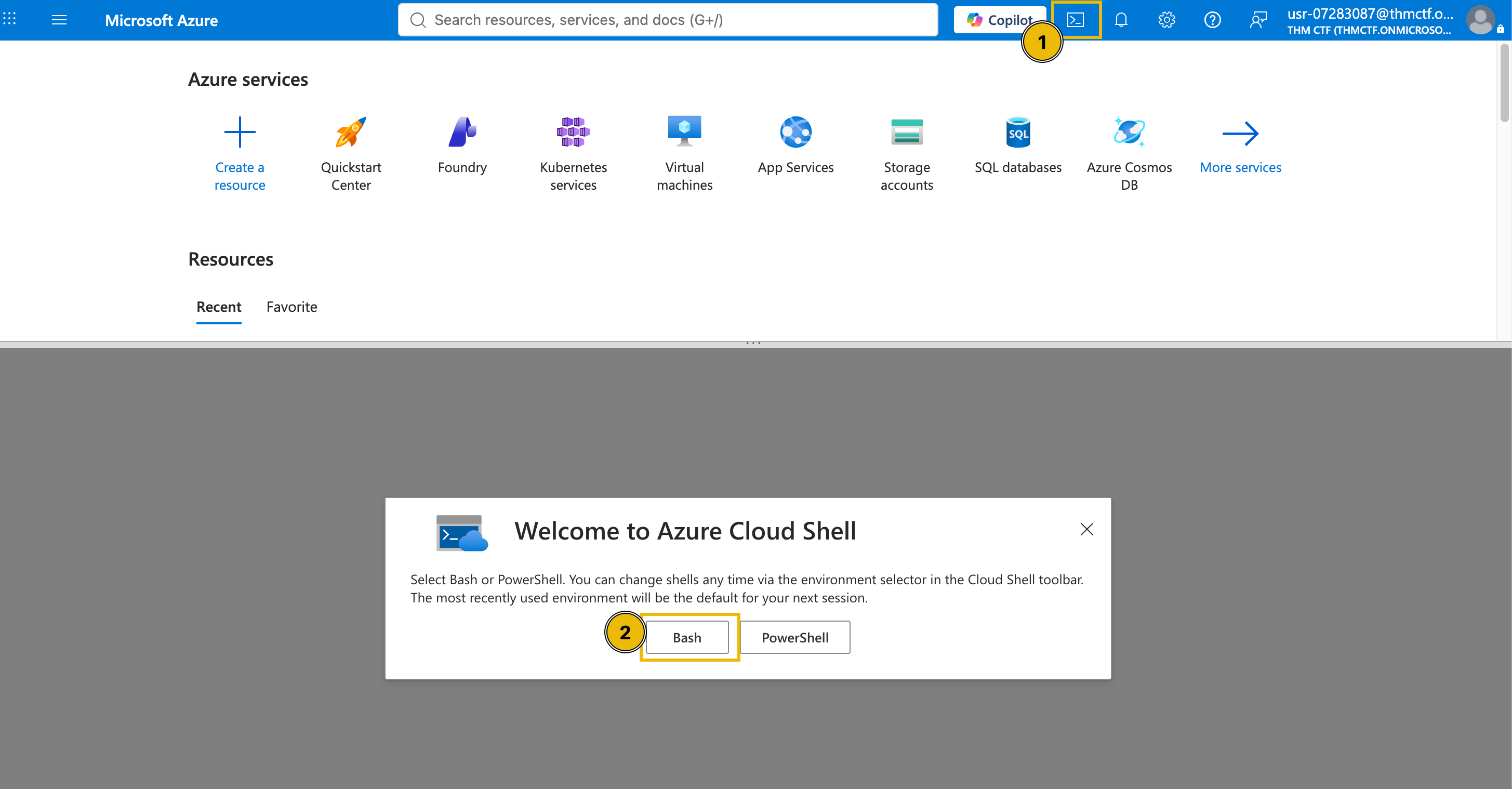
Once logged in, open the Cloud Shell and select Bash.
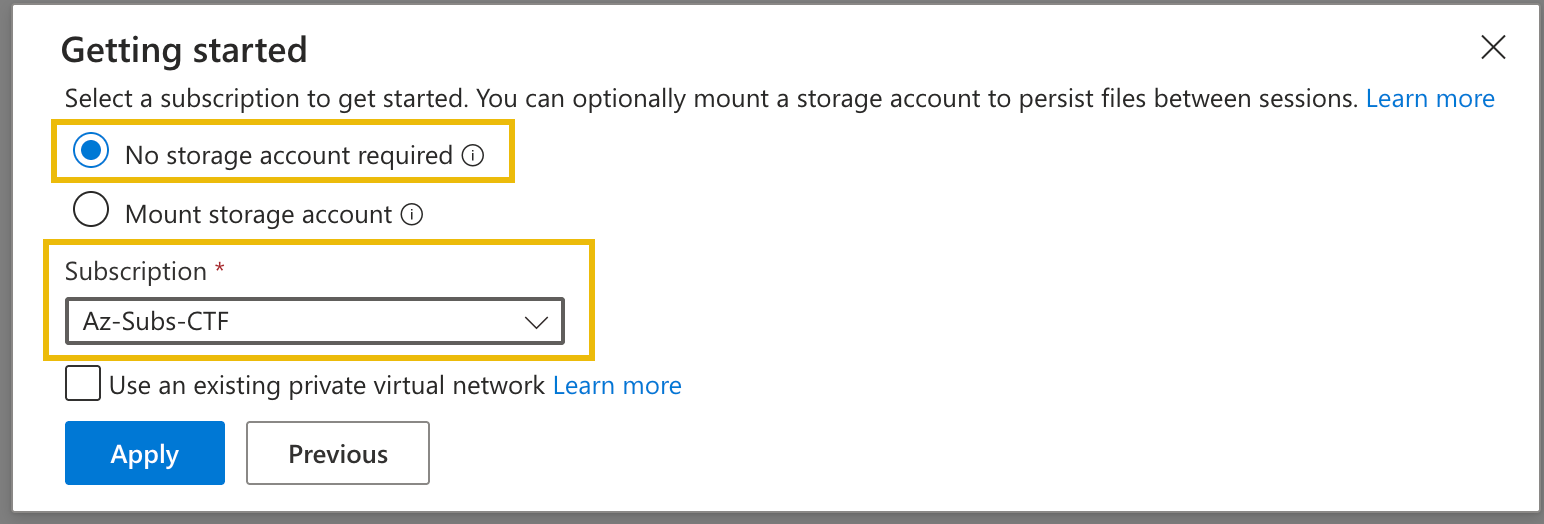
Then, select No storage account required and choose Az-Subs-CTF for the subscription.
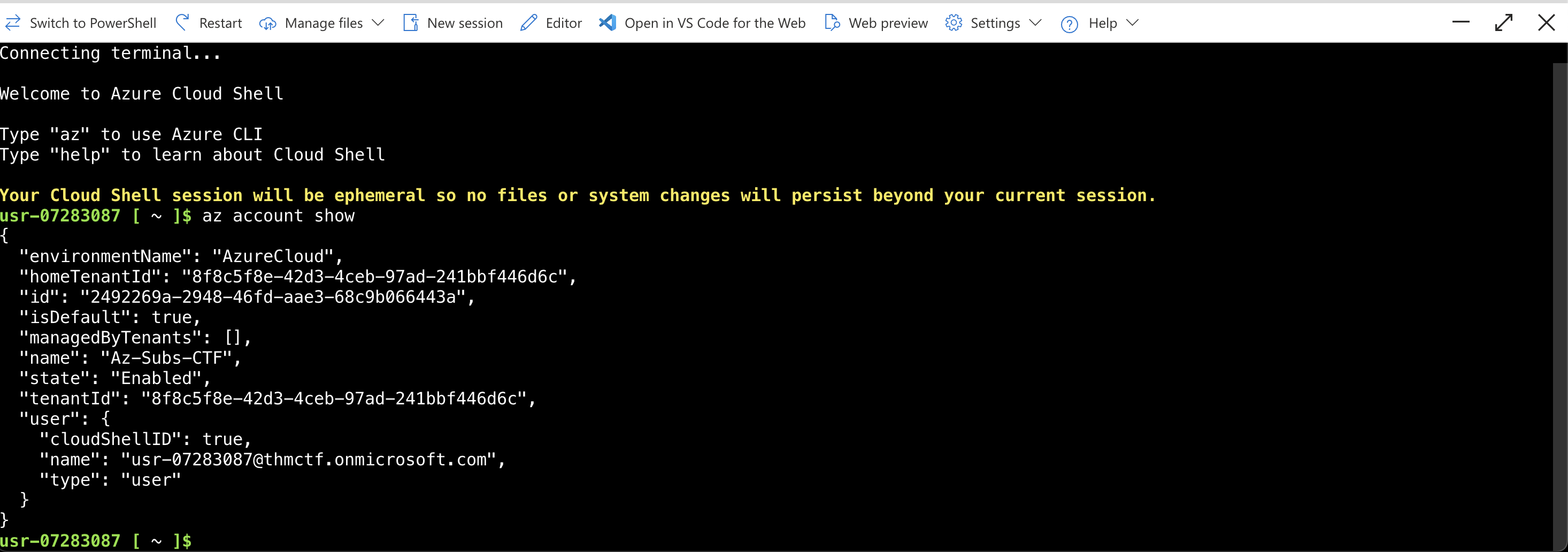
Lastly, execute the command below to validate your shell access.
az account show
You are now ready to solve today's challenge. Good luck and have fun!