Task 1: Introduction
Every one of us uses different programs on our computers. Generally speaking, programs run on our computers, using our computer’s processing power and storage. Moreover, to use a program, we need to install it first. What if we can use any program without installation?
A web application is like a “program” that we can use without installation as long as we have a modern standard web browser, such as Firefox, Safari, or Chrome. Consequently, instead of installing every program you need, you only need to browse the related page. The following are some examples of web applications:
- Webmail such as Tutanota, Protonmail, Outlook, and Gmail
- Online office suites such as Microsoft Office 365 (Word, Excel, and PowerPoint), Google Drive (Docs, Sheets, and Slides), and Zoho Office (Writer, Sheet, and Show)
- Online shopping such as Amazon.com, AliExpress, and Etsy
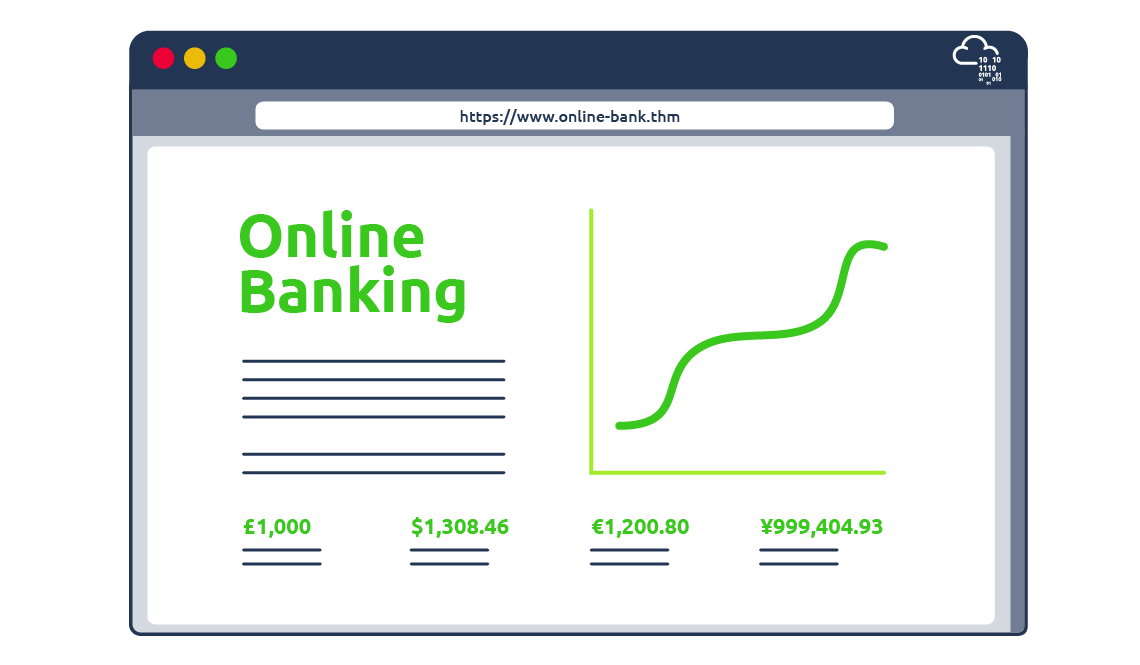
Thousands more examples provide a myriad of services. Other examples include online banking, money transfer, weather forecast, and social media.
The idea of a web application is that it is a program running on a remote server. A server refers to a computer system running continuously to “serve” the clients. In this case, the server will run a specific type of program that can be accessed by web browsers.
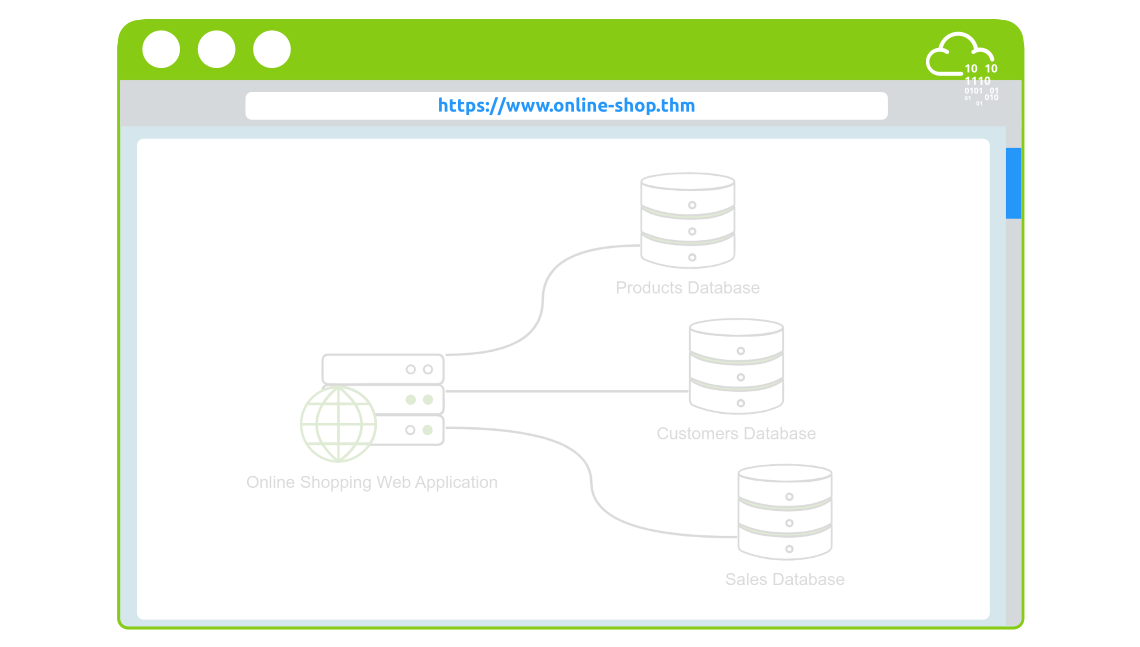
Consider an online shopping application. The web application will read the data about the products and their details from a database server. A database is used to store information in an organized way. Examples include information about products, customers, and invoices. A database server is responsible for many functions, including reading, searching, and writing to the database. The online shopping web application might need more than one database to access, for example:
- Products database: This database contains details about the products, such as name, images, specifications, and price.
- Customers database: It contains all details related to customers, such as name, address, email, and phone number.
- Sales database: We expect to see what each customer has purchased and how they paid in this database.
We can already see the amount of information stored in any online shopping system. Suppose an attacker manages to exploit (hack) the web application and steal the customers’ database. In that case, this will lead to a significant loss for the company and its customers.
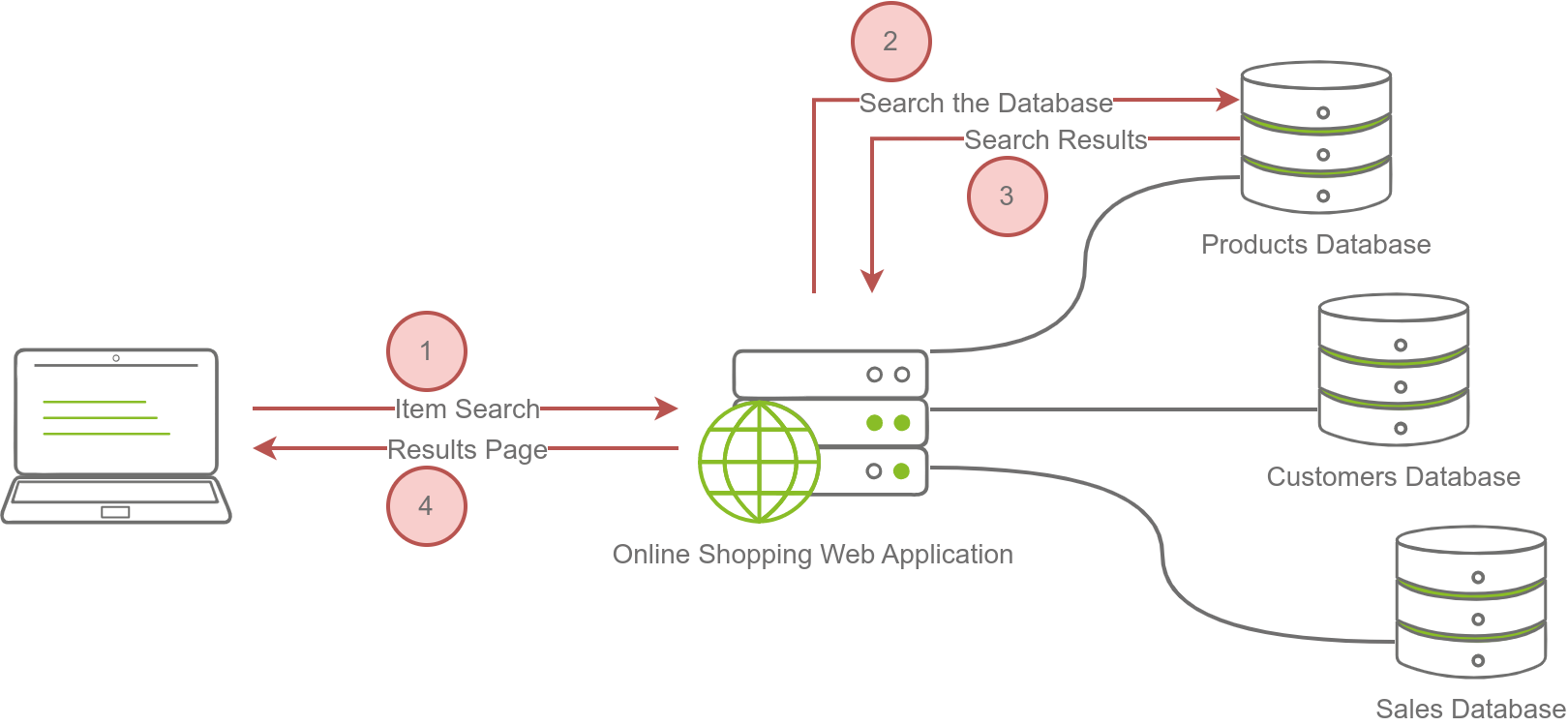
The image below shows searching for an item on an online shopping site. In the simplest version, the search will take four steps:
- The user enters an item name or related keywords in the search field. The web browser sends the search keyword(s) to the online shopping web application.
- The web application queries (searches) the products database for the submitted keywords.
- The product database returns the search results matching the provided keywords to the web application.
- The web application formats the results as a friendly web page and returns them to the user.
From the user’s perspective, they will only access an elegant online shop where all the technical infrastructure is hidden.
Many companies offer bug bounty programs. A bug bounty program allows the company to offer a reward for anyone who discovers a security vulnerability (weakness) in the company’s systems. The main condition is that the found vulnerability is within the bug bounty scope and rules. Among many others, Google, Microsoft, and Facebook have bug bounty programs. Discovering a bug can earn you from a few hundred USD to tens of thousands of USD, depending on the severity of the vulnerability, i.e., the weakness you discovered.
Answer the questions below
- What do you need to access a web application?