Offensive Security Intro

Introducing offensive security, where you will test the security of FakeBank's systems.

Task 1: Think like a Hacker!

Offensive Security is about thinking like an attacker to find weaknesses before real hackers do. The opposite, defensive security, is about keeping hackers out and acting when it goes wrong.

Two people work at the same bank. Read what each is doing:

Sarah TESTING LOGINS

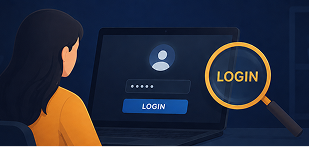
Tries logging into the bank's website using common passwords on a test account, to see whether it accepts weak ones.

Mike ADDING A FIREWALL RULE

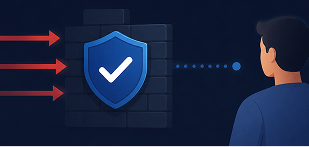
Adds a firewall rule that prevents suspicious login attempts on their systems.

Answer the questions below

  1. Which person is doing offensive security?

Task 2: Starting the Lab

This room uses a virtual desktop to simulate a real system. Press the green "View Site" button below to get started.

A fake banking application called FakeBank will launch. When the lab loads, you'll see the banking application running in your browser on the right, showing Mrs G. Benjamin's banking account.

Answer the questions below

  1. What is the bank account number shown in the FakeBank application?


Task 3: Find Hidden Pages

Now we will find a weakness in the FakeBank website. One common thing Hackers look for on a website is pages that are not linked. Hackers are interested in these hidden pages because they can often lead to sensitive pages or information that the organisation did not intend for us to see.

We can use popular cyber security tooling to find these pages by using common words and phrases, such as "login", "admin", etc. One of those tools is dirb, which can be used in the terminal. 

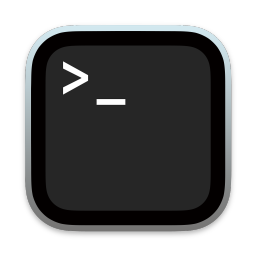
The terminal is used to interact with the device and cyber security tools, and looks like this on the system:

Inside the terminal, dirb is used by providing the command and the URL to test. For example:

dirb http://example.com

Use this knowledge to scan http://fakebank.thm to answer the question below.

Answer the questions below

  1. Dirb found two URLs, which one of these is more likely to give us access to FakeBank's internal tools?

Task 4: Attack the Admin Page

You should now have found a hidden admin panel that lets you add money to your account.

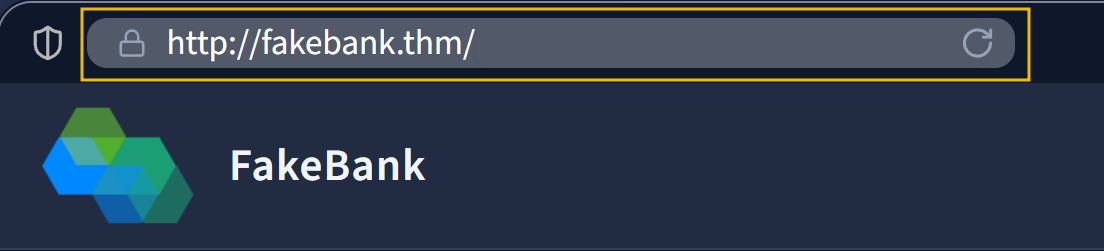
To navigate to this hidden admin panel, we will add this newly discovered page to the search bar located at the top of the website. To do so, you will need to add the following: /bank-transfer. This demonstrates that just because something is hidden doesn't mean it isn't accessible and secure.

It looks like we can deposit money into Mr's G.Benjamin's account using this admin panel. Test this by selecting the account number you verified in task 2 (8881) and depositing at least 2,000 until your balance turns positive.

Answer the questions below

  1. What could FakeBank do to make this bank-transfer page secure? Pick the most effective technique:

    • Require login
    • Make the URL harder to guess
    • Move the page to another server
  2. When Mrs. G Benjamin's account balance turns positive, a pop-up with green text appears.

     Enter the green words as the answer (ALL CAPS)

Back to all walkthroughs
Room Icon

Offensive Security Intro

Introducing offensive security, where you will test the security of FakeBank's systems.

easy

15 min

1,645,824

User profile photo.

To access material, start machines and answer questions login.

Offensive Security is about thinking like an attacker to find weaknesses before real hackers do. The opposite, defensive security, is about keeping hackers out and acting when it goes wrong.

Two people work at the same bank. Read what each is doing:

Sarah testing logins illustration
Sarah TESTING LOGINS

Tries logging into the bank's website using common passwords on a test account, to see whether it accepts weak ones.

Mike adding a firewall rule illustration
Mike ADDING A RULE

Adds a firewall rule that prevents suspicious login attempts on their systems.

Answer the questions below

Which person is doing offensive security?

This room uses a virtual desktop to simulate a real system. Press the green "View Site" button below to get started.

A fake banking application called FakeBank will launch. When the lab loads, you'll see the banking application running in your browser on the right, showing Mrs G. Benjamin's banking account.

Answer the questions below

What is the bank account number shown in the FakeBank application?


Now we will find a weakness in the FakeBank website. One common thing Hackers look for on a website is pages that are not linked. Hackers are interested in these hidden pages because they can often lead to sensitive pages or information that the organisation did not intend for us to see.

We can use popular cyber security tooling to find these pages by using common words and phrases, such as "login", "admin", etc. One of those tools is dirb, which can be used in the terminal. 

The terminal is used to interact with the device and cyber security tools, and looks like this on the system:

Inside the terminal, dirb is used by providing the command and the URL to test. For example:

dirb http://example.com

Use this knowledge to scan http://fakebank.thm to answer the question below.

Answer the questions below

Dirb found two URLs, which one of these is more likely to give us access to FakeBank's internal tools?

You should now have found a hidden admin panel that lets you add money to your account.

To navigate to this hidden admin panel, we will add this newly discovered page to the search bar located at the top of the website. To do so, you will need to add the following: /bank-transfer. This demonstrates that just because something is hidden doesn't mean it isn't accessible and secure.

It looks like we can deposit money into Mr's G.Benjamin's account using this admin panel. Test this by selecting the account number you verified in task 2 (8881) and depositing at least 2,000 until your balance turns positive.

Answer the questions below

What could FakeBank do to make this bank-transfer page secure? Pick the most effective technique:

  • Require login
  • Make the URL harder to guess
  • Move the page to another server

When Mrs. G Benjamin's account balance turns positive, a pop-up with green text appears.

 Enter the green words as the answer (ALL CAPS)