Click on the Start Lab Machine button to start the marketplace lab. Give it a few minutes to boot before accessing it via http://MACHINE_IP:8000. The credentials you found in the previous task should give you access.
So far, we have obtained the login credentials and successfully logged in to the marketplace. It is time to check for any vulnerabilities, granting us more access. We will focus on SQL injection (SQLi) vulnerabilities. This task briefly covers relational databases, tables, query language, and SQL injection vulnerabilities. This knowledge will be handy for the second stage of our attack, i.e., Task 3. If you are familiar with SQL and SQLi, you can skip this task.
RDBMS
After obtaining the login credentials, it is time to access the marketplace and check for any vulnerabilities that would grant us more access. We will focus on SQL injection vulnerabilities; if you are familiar with SQL and SQLi, you can skip this task.
SQL, which stands for Structured Query Language, was designed to manipulate and retrieve data from a relational database management system (RDBMS). What is a relational database? Think of it as a set of tables with relations connecting them. Consider the following relational database for an online shop with three tables:
- Table of products: We expect to find the name and price of every product, among other details.
- Table of customers: This table is expected to hold each customer's username, password, name, and address.
- Table of invoices: This table is special. It relies on information from the other two tables. For instance, a customer ID, a product ID, and a date would be enough to tell us what the customer bought and when they bought it. Note that we didn’t need to repeat the customer or product information.
Let’s say that we created the table users with the following attributes: id, username, password, name, and address. The SQL statement below creates a table named users with columns for id (auto-incrementing integer primary key), username, password, name, and address.
CREATE TABLE `users` (
  `id` int(11) NOT NULL AUTO_INCREMENT,
  `username` varchar(200) NOT NULL,
  `password` varchar(33) NOT NULL,
  `name` varchar(30) NOT NULL,
  `address` varchar(200) NOT NULL,
  PRIMARY KEY (`id`)
);
The id column is set as the primary key, and all columns are defined as NOT NULL, meaning they cannot have empty values. Except for the id, the data type of each column is declared as a variable-length character string with a set maximum length.
Next, we want to add new customers, search existing ones, update information, and occasionally delete dormant accounts. Let’s see how this is achieved via SQL.
CRUD
CRUD is an acronym for the four basic operations that can be performed on data in a database. The four operations are Create, Read, Update, and Delete.
Create
This operation involves inserting new data into the database. In SQL, the INSERT statement creates new records or rows in a table. Here’s an example:
INSERT INTO users (username, password, name, address)
VALUES ('jdoe', 'mypasswordTH3M', 'John Doe', 'TryHack3M Street');
This statement inserts a new row into the users table with the values ‘jdoe’, ‘mypasswordTH3M’, ‘John Doe’, and ‘TryHack3M Street’ for the columns username, password, name, and address, respectively. The id column will be automatically incremented due to the AUTO_INCREMENT property.
Read
This operation involves retrieving or reading existing data from the database. In SQL, the SELECT statement reads or queries data from one or more tables.
SELECT * FROM users WHERE username = 'jdoe';
This statement retrieves all columns and rows where the username column has the value ‘jdoe’.
SELECT name, address FROM users;
This statement retrieves only the name and address columns from all rows in the users table.
Update
This operation involves modifying or updating existing data in the database. In SQL, the UPDATE statement is used to change or modify the values of one or more columns in a table.
UPDATE users
SET password = 'newpassword3M'
WHERE username = 'jdoe';
This statement updates the password column with the value ‘newpassword3M’ for the row where the username column has the value ‘jdoe’.
UPDATE users
SET address = 'TryHack3M Street, Phone 3-000-000'
WHERE id = 1;
This statement updates the address column with the value ‘TryHack3M Street, Phone 3-000-000’ for the row where the id column has the value 1.
Delete
This operation involves removing or deleting existing data from the database. In SQL, the DELETE statement removes one or more rows from a table.
DELETE FROM users
WHERE username = 'jdoe';
This statement removes the row(s) from the users table where the username column has the value ‘jdoe’.
DELETE FROM users
WHERE id = 5;
This statement removes the row from the users table where the id column has the value 5.
SQL Injection
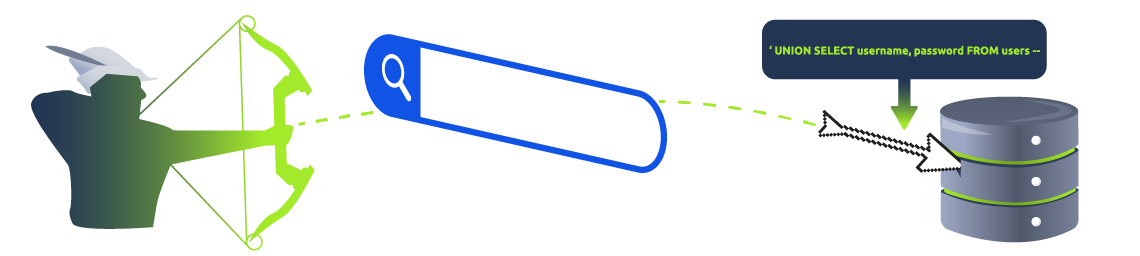
SQL injection is a technique used by attackers to exploit vulnerabilities in web applications that interact with databases. It occurs when untrusted user input is improperly handled and concatenated into SQL statements, allowing malicious SQL commands to be executed on the database. Consequently, the attacker might gain access to sensitive data, modify or delete data, or even execute commands on the underlying database server. Let’s dive into a practical example.
Consider the following vulnerable PHP code snippet being used for authentication. Authentication fails if the query finds no record with this username and password combination. (Yes, this is insecure, although it works!)
$username = $_POST['username'];
$password = $_POST['password'];
$query = "SELECT * FROM users WHERE username = '$username' AND password = '$password'";
Comments-Based SQL Injection
Knowing that -- is used for commenting in SQL, an attacker can inject admin'-- in the user name. Consequently, the query ends at admin, and everything after -- is ignored. This is shown in the code below.
SELECT * FROM users WHERE username = 'admin'--' AND password = '$password';
Tautology-Based SQL Injection
Injecting a tautology (always true condition) like ' OR '1'='1 in an input field can bypass authentication mechanisms or retrieve data. For instance, the attacker might inject ' OR '1'='1 in the input field. The resulting SQL query becomes like one of the following queries.
SELECT * FROM users WHERE username = 'admin' OR '1'='1' AND password = 'pass';
SELECT * FROM users WHERE username = 'admin' AND password = '' OR '1'='1';
There is no guarantee that such queries would return proper results. Alternatively, the attacker might combine a tautology with a comment and insert ' OR '1'='1' -- in the username field.
SELECT * FROM users WHERE username = '' OR '1'='1' --' AND password = 'password';
Since the '1'='1' will always be evaluated as true, this query might return the whole users table.
Retrieving Data from Other Tables
Another attack might aim to retrieve data from other tables. For example, if we use the payload ' UNION SELECT * FROM products --, we might dump the products table.
SELECT * FROM users WHERE username = 'jdoe' UNION SELECT * FROM products --' AND password = 'pass';
The above example SQL payloads provide a basic idea of how and why SQL injection works. It is time to build on this knowledge and tackle the challenge in the next task.