

WP2Shell: CVE-2026-63030

Chain an unauthenticated WordPress SQL injection with a logic flaw to forge an admin and gain RCE.
easy

To access material, start machines and answer questions login.
WordPress is the most widely used content management system on the internet, powering a huge share of the web's blogs, business sites, and online stores. Its lets themes, plugins, and external applications read and write site content over , and one of its lesser-known features is a batch endpoint that allows a client to bundle multiple API calls into a single request.
In July 2026, security researcher Adam Kues from Searchlight Cyber disclosed a critical, unauthenticated remote code execution bug in WordPress core, nicknamed wp2shell. It's actually two separate bugs chained together: one in how WordPress's REST API bundles multiple requests into a single call, and another in how it builds a SQL query from a parameter called author_exclude.
WordPress's batch API lets you send multiple requests at once, each evaluated against its own endpoint's rules. A bug mixes this up: a request aimed at /wp/v2/users (which barely validates its input) actually runs through the /wp/v2/posts handler instead, the one that builds a raw SQL query from its parameters. That lets an attacker exploit raw SQL through the weakly-checked endpoint straight into a database query, no login required. From there, the same SQL injection can insert fake data that tricks WordPress into creating a new administrator account, and with an admin account, running code on the server is straightforward. Aikido Intel also tracked the disclosure, and NVD records both CVEs:
- Severity: Critical
- CVSS Score: 9.8
- CVE-ID: CVE-2026-63030 (route confusion), chained with CVE-2026-60137 (the SQL injection itself)
- CWE: CWE-436 (Interpretation Conflict)
- Affected Versions: 6.9.0 through 6.9.4, 7.0.0 through 7.0.1
- Patched Version: 6.9.5 (also 7.0.2)
Consider a scenario where your organisation runs a public WordPress site with nothing unusual installed: a stock theme, no third-party plugins, just core kept reasonably up to date. Now imagine an attacker sends a handful of carefully malformed HTTP requests, no login, no plugin vulnerability, nothing but WordPress itself, and walks away with a brand-new administrator account of their own creation and full code execution on your server. That is exactly what this vulnerability allows.
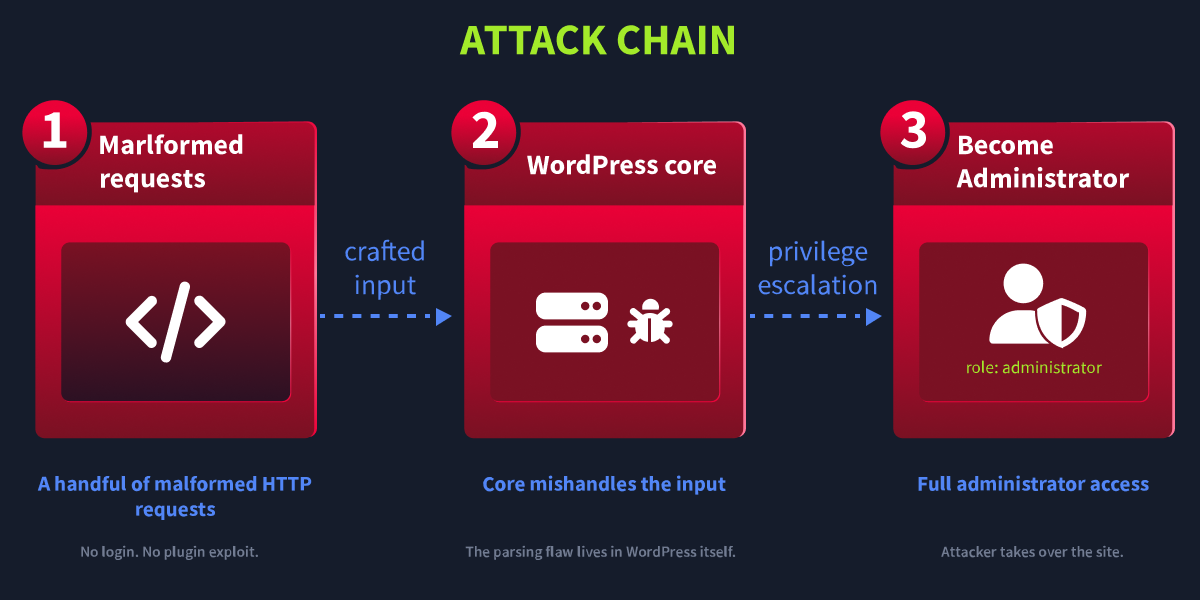
This room walks through the full chain: understanding why the batch handler gets confused, using that confusion to read arbitrary data such as the wp_users table, and then using the same injection point to forge database rows that chain into a second flaw for full .
Learning Objectives
- Understand how REST API batch requests can desynchronise route validation from route dispatch
- Exploit an unauthenticated blind injection to read arbitrary values from the database
- Chain that injection with a second logic flaw in WordPress's Customizer changeset publishing to forge a brand-new administrator account outright
- Turn that forged account into remote code execution through a webshell
Prerequisites
- HTTP in Detail: Requests, responses, methods, and status codes
- SQL Injection: Understand
SELECT,WHERE, and boolean conditions
Connecting to the Machine
Start the machine using the Start Lab Machine button below. Allow 2-3 minutes for it to load fully. Once ready, the will open in split view, providing access to both the lab environment and the required tools.
Set up your virtual environment

I have started the lab machine.
Ready to learn Cyber Security?
The WP2Shell: CVE-2026-63030 room is only available for Premium or Max subscribers. Signup now to access more than 500 free rooms and learn cyber security through a fun, interactive learning environment.
Already have an account? Log in