We use cookies to ensure you get the best user experience. For more information see our cookie policy.
Threat Hunting: Introduction
Learn the foundational concepts, approaches, and techniques of threat hunting.
Task 1: Introduction
Threat hunting is the systematic, proactive search for malicious activity in your environment that may have evaded detection systems. Unlike incident response, which reacts to confirmed alerts, threat hunters actively seek threats before they cause damage. This skill has become essential in modern cyber security as attackers grow more sophisticated and detection gaps remain inevitable.
In this room, you will learn the foundational concepts that threat hunters use to find threats. You will understand what threat hunting is, what threat hunters search for, the different approaches they use, and the techniques they employ. After completing this room, you will be ready for the practical threat hunting scenarios that follow throughout the module.
Learning Objectives
Understand what threat hunting is and how it differs from incident response
Learn what threat hunters search for in their environment
Understand the different approaches to threat hunting
Learn the methods and techniques threat hunters use
Apply threat hunting concepts to realistic scenarios
Prerequisites
Basic understanding of cybersecurity and the threat landscape
Understanding of basic attack techniques and the kill chain
Answer the questions below
I am ready to start!
Task 2: What Is Threat Hunting
Imagine a secure building protected by multiple security layers: cameras covering every entrance, motion sensors throughout, alarm systems, access control checkpoints, and security guards stationed at the front desk. The building appears secure. Yet sometimes, a person still manages to enter undetected. Not because there was no security, but because security systems are never perfect. They catch some threats, but not all.
That is why most serious organizations do not rely on perimeter security alone. They employ security guards who continuously patrol inside the building, actively looking for anything unusual. These guards do not wait for alarms to trigger. They are proactively hunting for intruders. They know that someone could have bypassed the external defenses. They watch for signs: unfamiliar people in restricted areas, locked doors that should be sealed, equipment being removed, or activity outside normal business hours. If they find something suspicious, they investigate and respond immediately.
Threat hunting works the same way. Your firewalls, intrusion detection systems, and automated alerts are the cameras, sensors, and alarms. They catch many attacks. But sophisticated attackers use zero-day exploits, modify their tools to evade detection, and operate slowly to avoid triggering alarms. Your automated defenses cannot catch all of them. That is where threat hunters come in. They do not wait for alerts. They proactively search your systems, logs, and networks looking for evidence of malicious activity that your automated defenses missed. They hunt for threats before attackers achieve their objectives.
Threat Hunting vs Incident Response
Threat hunting and incident response are often confused because they both deal with security threats. However, they serve different purposes. Incident response is reactive: an alert fires, analysts investigate, and if malicious activity is confirmed, the incident response team takes action. Threat hunting is proactive: an analyst searches for threats without waiting for an alert. Many organizations think incident response and threat hunting are the same thing because both involve investigating suspicious activity. The key difference is the trigger. Incident response is triggered by an alert. Threat hunting is self-initiated by a hunter.
Aspect
Threat Hunting
Incident Response
Trigger
Self-initiated by hunter, no alert needed
Triggered by security alert or detection
Approach
Proactive search for threats
Reactive response to confirmed threats
Timeline
Hunt before compromise is obvious
Respond after threat is detected
Outcome
Findings feed back to improve detections
Containment and remediation of threat
Example
Hunter discovers unusual PowerShell execution patterns matching known malware before any alert fires, escalates to IR team
Alert fires: "Malware detected." IR team investigates, confirms threat, begins containment and removal
Both are essential. Threat hunting finds threats that detections missed. Incident response contains and removes those threats. The knowledge from incident response improves future detection, which in turn informs future threat hunting. Organizations that excel at security integrate both disciplines. Think of it like building security again: the guards outside catch most intruders (incident response catches most attacks). But the roaming guards inside find the intruders who slipped past external defenses (threat hunters find attacks that automated systems missed).
Dwell Time: Why Speed Matters
Dwell time is the average number of days an attacker remains undetected in your environment after initial compromise. Industry data from 2024 and 2025 shows typical dwell times of 20 to 30 days, though some advanced attackers maintain presence for months or years. During this time, the attacker performs reconnaissance, steals credentials, moves through your network, and exfiltrates data. Each additional day dramatically increases the potential damage. A breach discovered after 5 days might result in minimal data loss. The same breach discovered after 30 days might involve critical systems compromise and massive data theft.
Threat hunting reduces dwell time. By proactively searching for threats, organizations can identify and remove attackers in days rather than weeks. This transforms the financial and operational impact of breaches. Shorter dwell time means less damage, faster recovery, and lower remediation costs. Like the security guards discovering an intruder after one hour rather than waiting until they have explored the entire building for days, threat hunters discovering attackers quickly minimizes the damage they can cause.
Real-World Example
A financial services company's security team received threat intelligence about a new attack group targeting their industry. The threat hunter in their SOC decided to search their logs for indicators associated with this attack group. The hunter noticed unusual PowerShell execution patterns that did not match normal administrative activity. While the patterns were subtle and had not triggered any automated alerts, the hunter recognized them as consistent with techniques documented in the threat intelligence report.
Further investigation revealed that an attacker had been inside the network for 14 days, undetected by their automated systems. The attacker was in early stages, mapping the network and identifying high-value targets. Because the threat hunter discovered this activity proactively, the incident response team could contain and remove the attacker before they progressed deeper into the network. Without threat hunting, the attacker would likely have remained undetected for another 2 to 3 weeks, time they would have used to steal critical customer data. The proactive threat hunt reduced what could have been a major breach into a contained incident.
Answer the questions below
What is the average number of days an attacker remains undetected in a network called?
Is threat hunting reactive or proactive?
Task 3: Hunting Approaches
Threat hunting is not done using a single approach followed by all companies. Different organizations use different methodologies based on their circumstances, maturity level, available resources, and current threat priorities. A beginner threat hunter might focus on one specific approach. An experienced team might employ multiple approaches simultaneously. The approach chosen depends on what information is available, what question is being asked, and what resources are available. A company hunting after a known breach might use one approach. A company conducting routine proactive hunting might use another. The key is that organizations strategically select their approach based on their specific situation.
Threat hunters employ three foundational approaches, which represent the most widely practiced methods in the industry. However, threat hunting continues to evolve, and organizations may develop or discover additional methodologies specific to their environment. As you progress through practical threat hunting, you will see how real-world hunts often blend these approaches or employ variations adapted to specific contexts.
Approach 1: Hypothesis-Driven Hunting
Hypothesis-driven hunting begins with a question or suspicion. The threat hunter formulates a hypothesis about where a threat might exist or what might have happened, then searches for evidence to prove or disprove it. This approach is valuable when you have specific concerns about a particular user, system, department, or attack scenario.
Example: A threat hunter suspects that the finance department's workstations may have been targeted by a phishing campaign because they receive emails mimicking legitimate financial institutions. The hunter hypothesizes that evidence of compromise might exist on these systems. They search for suspicious PowerShell execution, unusual network connections, evidence of credential dumping, and unexpected process spawning specific to finance workstations over the past 30 days.
When to use: Hypothesis-driven hunting is efficient when you have specific concerns. It limits the scope of investigation and produces focused results. It is ideal when you have domain knowledge about particular risks in your environment.
Approach 2: Intelligence-Driven Hunting
Intelligence-driven hunting begins with external threat intelligence. The hunter learns about specific threats affecting their industry or geographic region, then searches their environment for evidence that those threats exist. This approach leverages the work of security researchers, vendors, and the global security community who analyze real breaches and publish findings.
Understanding Threat Intelligence and MITRE ATT&CK: Threat intelligence includes detailed information about attack groups, their objectives, and the specific techniques they use. One of the most important frameworks for organizing this intelligence is the MITRE ATT&CK framework. MITRE ATT&CK is a comprehensive, curated knowledge base of adversary tactics and techniques based on real-world observations. Rather than describing attacks in vague terms like "network reconnaissance," MITRE ATT&CK categorizes specific techniques with unique identifiers. For example:
T1566.002: Phishing - Spearphishing Link (attacker sends phishing emails with malicious links)
T1059.001: Command and Scripting Interpreter - PowerShell (attacker uses PowerShell to execute commands)
T1055: Process Injection (attacker injects code into running processes)
T1041: Exfiltration Over C2 Channel (attacker steals data through their command-and-control server)
When threat intelligence about a specific attack group is published, it often includes the MITRE ATT&CK techniques they use. A threat hunter uses this intelligence to guide their hunt. They might search their environment for evidence of the specific techniques mapped to that attack group, knowing exactly what to look for because MITRE provides a standardized language for describing attacks.
Example: Security researchers publish a report about an APT group targeting financial institutions. The report documents that this group typically uses T1566.002 (spearphishing links) for initial access, T1059.001 (PowerShell) for command execution, and T1041 (exfiltration over C2) for stealing data. The report includes indicators: malware file hashes, command and control server IP addresses, and malicious domains associated with the group. A threat hunter takes this intelligence and searches their logs for matching indicators, behavioral patterns matching those MITRE techniques, and network connections to the known C2 servers.
When to use: Intelligence-driven hunting is highly relevant when published intelligence matches your organization's threat profile. Industry, geography, and business model all determine whether specific threat intelligence applies to you. It is particularly powerful when you have detailed intelligence from threat feeds, security vendors, or incident reports that document the exact techniques attackers use.
Approach 3: Indicator-Driven Hunting
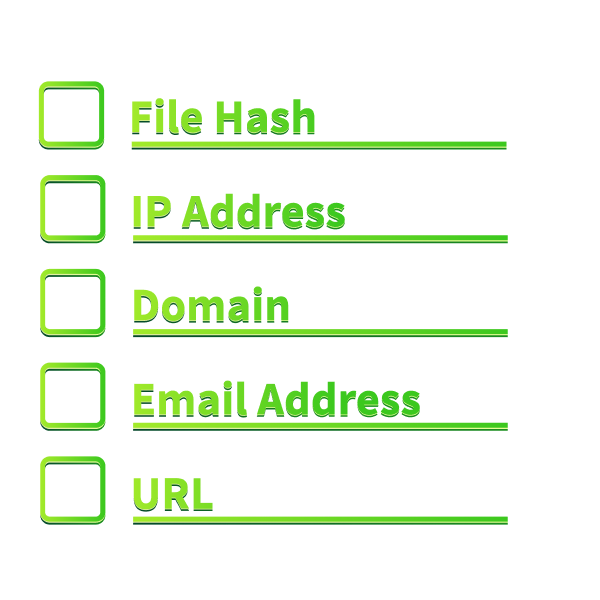
Indicator-driven hunting focuses on specific, concrete artifacts called indicators of compromise (IOCs): file hashes, IP addresses, domain names, email addresses, and command-line patterns. These indicators come from threat feeds, previous incidents, malware analysis, or security researchers. The hunter constructs queries to find any matching indicators in their environment.
Example: A threat feed provides a list of 150 file hashes known to be associated with a specific attack campaign. A threat hunter loads these hashes into their query tool and searches: "Show me any process execution or file creation where the file hash matches any of these known indicators." The results are objective: either the indicator exists in your environment or it does not.
When to use: Indicator-driven hunting produces clear, objective results. It scales well when you have large lists of indicators. It is also the most easily automated and can be integrated into continuous detection systems.
Selecting Your Approach
Experienced threat hunters choose their approach strategically. If you have a specific concern about a particular asset or user, hypothesis-driven hunting is appropriate. If you have received threat intelligence about threats targeting your industry (especially intelligence mapped to MITRE ATT&CK techniques), intelligence-driven hunting is ideal. If you have obtained indicators from a trusted source, indicator-driven hunting is efficient. Many organizations conduct all three types of hunts in parallel, rotating focus based on current priorities and newly available intelligence. The approach you choose depends on what question you are trying to answer and what information is available to guide your hunt.
Below are examples of some questions in a threat hunter's mind while performing a hunt:
Where might the attacker move?
What systems could they access?
How might they establish persistence?
Where could the attacker go from here?
Answer the questions below
Which threat hunting approach would you use if you have received threat intelligence about an APT group targeting your industry?
Which threat hunting approach is most efficient when you have a list of file hashes and IOCs from a threat feed?
Task 4: Hunting Targets
Before a threat hunter begins searching, they must understand what they are hunting for. This task focuses on the WHAT of threat hunting: the types of evidence and artifacts that indicate malicious activity. In the next task, you will learn the HOW: the methods and techniques threat hunters use to find this evidence. It is important to understand this distinction.
Attackers cannot compromise systems without creating artifacts. They execute commands, create files, establish network connections, modify settings, and interact with applications. A skilled threat hunter understands where these artifacts appear in logs, how to recognize suspicious patterns, and how to distinguish malicious activity from normal operations. Threat hunting targets fall into three main categories.
Target 1: Known Malware
Threat hunters search for malware they know exists or has been reported in their industry. Malware samples are constantly discovered, analyzed, and cataloged by security researchers worldwide. Public repositories like VirusTotal and various threat feeds contain file hashes, signatures, and behavioral analysis of known malicious software.
Real example: Emotet is a malware family that was widely distributed. A threat hunter might search for known Emotet indicators: specific file hashes of Emotet executables, command-line patterns used to launch Emotet, network connections to known Emotet command-and-control servers, or behavioral patterns of Emotet's credential stealing and lateral movement.
Challenge: Malware is constantly evolving. Attackers recompile their malware, add obfuscation, change their infrastructure, and develop variants. A file hash from a sample discovered months ago may not match today's variant. Additionally, zero-day malware (malicious code never seen before) will not match any known indicators.
Where to find it: Threat hunters find known malware indicators in malware repositories, threat intelligence feeds, incident reports, security vendor publications, and information sharing platforms.
Target 2: Attack Residues
Attack residues are the artifacts attackers leave behind as they execute their attack chain. Even careful attackers cannot avoid leaving evidence. They must execute code to gain access, run commands to explore the environment, access files to steal data, create persistence mechanisms, and establish command-and-control communication.
Real example: An attacker uses the Windows built-in tool lsass.exe to dump password hashes from memory. In Windows Event Logs, a threat hunter would observe unusual process creation: lsass.exe being spawned from an unexpected parent process, or accessing memory that is not typical for its normal operation. The attacker must also execute commands on the system. These might include whoami to check permissions, net user to enumerate accounts, ipconfig to understand network configuration, or tasklist to see running processes.
Why it matters: Attack residues are valuable because they are often independent of specific malware. Multiple attack groups using different tools might execute similar commands and leave similar residues. A threat hunter understanding common attack techniques can hunt for these residues even when facing unknown malware or zero-day exploits.
Common attack residues include: Unusual process spawning (especially cmd.exe or PowerShell launched from unexpected parents), command-line execution of administrative tools, unexpected network connections to external IPs, file creation in suspicious locations, registry modifications, and unusual privilege escalation attempts.
Target 3: Known Vulnerabilities
Threat hunters search for evidence that known vulnerabilities have been exploited. When a critical vulnerability is announced, attackers quickly develop exploits. Organizations apply patches as quickly as possible, but in the window between announcement and patching, systems remain vulnerable.
Real example:Log4Shell (CVE-2021-44228) was a critical vulnerability in the Java logging library Log4j. Vulnerable applications could be remotely compromised by sending specially crafted messages. A threat hunter would search application logs for HTTP requests containing exploit patterns like specific command structures. They would also look for unusual Java process behavior following potential exploitation: unexpected network connections, child process creation, or unusual file system activity.
Why it matters: Vulnerability exploitation is one of the most common initial access methods for attackers. By hunting for evidence of exploit attempts and successful exploitation, threat hunters can identify compromises within days of exploitation rather than weeks later when other indicators appear.
Integrating All Three Targets
Comprehensive threat hunting combines all three categories. A single hunt may search for known malware, look for attack residues consistent with that malware's behavior, and also check for evidence of vulnerability exploitation that might have enabled initial compromise. This layered approach maximizes the likelihood of detecting threats across different stages of an attack.
Remember: targets are the WHAT of threat hunting. They answer the question: "What types of evidence indicate malicious activity?" In the next task, you will learn the methods and techniques (the HOW): "What tools and approaches do we use to find this evidence?"
Answer the questions below
What category of hunting target represents artifacts left behind by attackers during their attack?
Task 5: Hunting Techniques
In the previous tasks, you learned the approaches to threat hunting (hypothesis-driven, intelligence-driven, indicator-driven) and the targets of threat hunting (malware, attack residues, vulnerabilities). Now we see HOW threat hunters actually perform the hunting. Threat hunters don't search abstract "evidence"; they search concrete data sources using specific tools and techniques. This task focuses on the practical methods threat hunters use and the tools where they apply these methods.
Where Threat Hunters Search: Data Sources
Threat hunters search within their organization's data sources. These include event logs, endpoint detection and response (EDR) tool data, security information and event management (SIEM) systems, network traffic and flow data, DNS logs, web proxy logs, firewall logs, and application logs. However, this list represents only some of the data sources available. The reality is that threat hunters search everywhere because evidence of attacks can appear anywhere. An attacker might leave traces in system registry, application logs, memory, configuration files, temporary directories, backup systems, cloud services, or numerous other locations.
The specific data sources available depend on your organization's infrastructure, the tools you have deployed, and what you are able to collect and retain. Some organizations have comprehensive logging across all systems. Others have limited visibility. Mature threat hunting programs continuously work to expand their data collection and visibility. A skilled threat hunter understands that no single data source tells the complete story. They actively correlate evidence across multiple sources, synthesizing logs, network data, and endpoint information together to reveal threats that passive log review alone cannot detect.
Method 1: Attack Signatures
An attack signature is a pattern that indicates malicious activity. It can be a specific file hash, a command-line pattern, or a behavioral sequence. Threat hunters search for these specific patterns in their data sources.
What threat hunters search for:
File hashes matching known malware (hash = abc123def456...)
Command-line parameters indicating malicious code execution (powershell.exe with -EncodedCommand and DownloadString parameters together)
Process names spawned from unusual parents (cmd.exe spawning from winword.exe)
Specific URL patterns in web logs matching known malware delivery sites
Registry modifications at known persistence locations (HKLM\Software\Microsoft\Windows\CurrentVersion\Run)
Where it's used: EDR tools (searching process execution logs), SIEM systems (searching command-line events, web logs), antivirus logs, firewall logs.
Connection to frameworks: Attack signatures often correspond to specific MITRE ATT&CK techniques. The PowerShell parameter signature detects T1059.001 (Command and Scripting Interpreter - PowerShell). Registry persistence signatures detect T1547 (Boot or Logon Autostart Execution). Threat hunters use MITRE ATT&CK to understand exactly which techniques and behaviors to hunt for.
Effectiveness: Signatures work well against known threats but may miss variations or zero-day exploits. They are objective and produce clear results: either the pattern matches or it does not.
Method 2: Indicators of Compromise (IOCs)
IOCs are specific artifacts left by attackers: file hashes, IP addresses, domain names, email addresses, URLs, and registry keys. Threat hunters load IOC lists into their tools and search for exact matches in their environment.
What threat hunters search for:
File hashes from threat feeds loaded into EDR or SIEM (does this hash exist anywhere in our logs?)
IP addresses in firewall/network logs (did any of our systems connect to these C2 server IPs?)
Domain names in DNS logs (did any system attempt to resolve these malicious domains?)
Email addresses in email logs (were any users contacted by these attacker accounts?)
URL paths in web proxy logs (did users visit these malicious URLs?)
Where it's used: SIEM systems (querying against IOC lists), threat intelligence platforms (MISP, Recorded Future), EDR tools (hash matching), firewall logs (IP matching), DNS logs (domain resolution matching).
Connection to frameworks: IOCs come from intelligence sources, which often document the MITRE techniques associated with them. A malware hash is associated with the T1204 (User Execution) technique that delivered it. A C2 IP address is associated with T1071 (Application Layer Protocol) command-and-control communication. Threat hunters use MITRE to understand the context and significance of IOCs they find.
Effectiveness: IOCs produce clear, objective results. The limitation is that attackers rotate their infrastructure constantly. IOCs become outdated as attackers change IP addresses, domains, and recompile malware. IOC searching is most effective when you have recent, relevant indicators from active attacks.
Method 3: Behavioral Pattern Analysis
This method looks for sequences of specific events that together indicate malicious activity, even if individual events might appear benign.
What threat hunters search for:
Process chains: Word.exe spawns cmd.exe spawns powershell.exe that connects to external IP
File access patterns: Single user accessing hundreds of files in sensitive directories within minutes
Lateral movement chains: Remote execution on System A followed by process creation on System B followed by credential access on System B
Privilege escalation sequences: Normal user process requesting SYSTEM-level permissions followed by sensitive file access
Data collection patterns: Database query followed by bulk file reads followed by archive creation followed by network transmission
Where it's used: Advanced SIEM systems (with correlation and sequence matching), EDR platforms (process tree analysis), behavioral analysis tools.
Connection to frameworks: Attack chains correspond to MITRE ATT&CK technique combinations. A lateral movement chain might show T1021 (Remote Services) followed by T1569 (Process Creation) followed by T1110 (Brute Force). Behavioral patterns detect what attackers must do, regardless of which specific tools they use. Threat hunters use MITRE to understand common attack technique sequences.
Effectiveness: Behavioral patterns are powerful because they detect attacks even when specific malware signatures or IOCs are unknown. They focus on the attacker's required actions rather than their specific tools. The challenge is that false positives can occur: normal administrative actions might match attack patterns. Threat hunters must investigate and confirm whether patterns represent genuine compromise.
Method 4: Logical Queries and Anomaly Detection
This method uses conditional logic to find suspicious combinations of events that deviate from normal activity in your environment.
What threat hunters search for:
Administrator commands executed at 3 AM (abnormal timing)
SYSTEM account running interactive commands (abnormal user)
User accessing data directories they never normally access (abnormal behavior)
Outbound connections from internal systems to unusual ports (abnormal network behavior)
Password changes for inactive accounts (abnormal account activity)
Bulk file downloads from archive locations by non-IT users (abnormal volume and source)
Typical query structure:
EventCode=4688 where ParentProcessName NOT IN [explorer.exe, cmd.exe] AND User = SYSTEM AND CommandLine IN [whoami, net user, ipconfig]
EventCode=4663 where TargetUserName NOT IN [IT_team] AND ObjectName LIKE "*\sensitive_data\*" AND count > 50
Network where SourceIP IN [10.*, 192.168.*] AND DestinationPort NOT IN [80, 443, 53, 22, 21] AND BytesSent > 1000000
EventCode=4723 where TargetUserName NOT IN [active_users] AND SubjectUserName = Administrator
Where it's used: SIEM systems with powerful query languages (Splunk SPL, ELK/Elasticsearch Query Language, Azure KQL), EDR advanced hunting features, security data lakes.
Connection to frameworks: Logical queries can target specific MITRE techniques. Queries detecting T1087 (Account Discovery) search for net user, net group, dsquery commands. Queries detecting T1005 (Data from Local System) search for unusual file access volume. Threat hunters use MITRE ATT&CK to identify which suspicious patterns to write queries for.
Effectiveness: Logical queries are customizable to your specific environment. They can detect unknown attacks because they focus on abnormal behavior rather than known indicators. The challenge is building effective queries: they require understanding normal activity in your environment and recognizing what deviations indicate genuine threats.
Integrating Methods in Real Hunts
Effective threat hunters rarely rely on a single method. A comprehensive hunt typically combines multiple approaches. An intelligence-driven hunt might start by loading IOC lists (file hashes, C2 IPs) into their SIEM, then broaden the search to find behavioral patterns matching known attack groups, and finally write logical queries to identify similar activity from other attackers using comparable techniques. This layered approach maximizes the probability of detecting both known and unknown threats.
The method you choose depends on what information you have, what question you are trying to answer, and what data sources and tools are available. Different hunting scenarios require different technique combinations. As you progress through practical threat hunting, you will develop judgment about selecting the most effective techniques for each scenario.
Answer the questions below
Which hunting technique uses file hashes, IP addresses, and domain names to search for specific artifacts?
What hunting technique is represented by searching for: "Word.exe spawns cmd.exe spawns powershell.exe that connects to external IP"?
Task 6: Practical
Scenario
You are a threat hunter at a financial services organization. Your security team has received threat intelligence about APT-Serpent, a sophisticated threat group targeting companies in your sector. No alerts have fired in your environment, but your team wants to conduct a proactive hunt to determine if this threat actor has already gained a foothold.
Answer the questions below
How many known campaigns has APT-Serpent conducted since 2021?
In which phase of the attack does CustomBackdoor get dropped?
What is the primary initial access vector used by APT-Serpent?
What is the time interval between CustomBackdoor's HTTPS C2 beacons? (Answer the number of seconds)
What is the flag received after choosing the correct threat hunting approach and target?
Task 7: Conclusion
Throughout this room, we have covered the foundational concepts of threat hunting, understanding what it is and why it matters. Multiple approaches exist, hypothesis-driven, intelligence-driven, and indicator-driven, with hunters selecting based on their circumstances and available information. The targets of hunting span known malware, attack residues, and evidence of vulnerability exploitation. Methods for uncovering this evidence include attack signatures, indicators of compromise, behavioral pattern analysis, and logical queries. These building blocks will guide your progression into practical threat hunting scenarios.
Remember that threat hunting is fundamentally proactive. You are not waiting for alerts. You are actively seeking threats that detection systems have missed, particularly during the early stages of attacks before attackers achieve their objectives. This requires the right mindset: suspicious thinking, methodical analysis, and continuous learning. Every hunt serves a dual purpose: you find active threats in your environment, and you identify detection gaps that your security team can then strengthen. Each hunt teaches you something new about your environment and your attackers, creating a cycle where your findings improve future detection capabilities. As you progress through the practical rooms ahead, you will develop the judgment and experience that separates competent threat hunters from exceptional ones.
What's Next
You are now prepared to apply your knowledge to practical threat hunting. The following rooms will take you deeper:
Learn the foundational concepts, approaches, and techniques of threat hunting.
easy
60 min
8,876
To access material, start machines and answer questions login.
Threat hunting is the systematic, proactive search for malicious activity in your environment that may have evaded detection systems. Unlike incident response, which reacts to confirmed alerts, threat hunters actively seek threats before they cause damage. This skill has become essential in modern cyber security as attackers grow more sophisticated and detection gaps remain inevitable.
In this room, you will learn the foundational concepts that threat hunters use to find threats. You will understand what threat hunting is, what threat hunters search for, the different approaches they use, and the techniques they employ. After completing this room, you will be ready for the practical threat hunting scenarios that follow throughout the module.
Learning Objectives
Understand what threat hunting is and how it differs from incident response
Learn what threat hunters search for in their environment
Understand the different approaches to threat hunting
Learn the methods and techniques threat hunters use
Apply threat hunting concepts to realistic scenarios
Prerequisites
Basic understanding of cybersecurity and the threat landscape
Understanding of basic attack techniques and the kill chain
Answer the questions below
I am ready to start!
Imagine a secure building protected by multiple security layers: cameras covering every entrance, motion sensors throughout, alarm systems, access control checkpoints, and security guards stationed at the front desk. The building appears secure. Yet sometimes, a person still manages to enter undetected. Not because there was no security, but because security systems are never perfect. They catch some threats, but not all.
That is why most serious organizations do not rely on perimeter security alone. They employ security guards who continuously patrol inside the building, actively looking for anything unusual. These guards do not wait for alarms to trigger. They are proactively hunting for intruders. They know that someone could have bypassed the external defenses. They watch for signs: unfamiliar people in restricted areas, locked doors that should be sealed, equipment being removed, or activity outside normal business hours. If they find something suspicious, they investigate and respond immediately.
Threat hunting works the same way. Your firewalls, intrusion detection systems, and automated alerts are the cameras, sensors, and alarms. They catch many attacks. But sophisticated attackers use zero-day exploits, modify their tools to evade detection, and operate slowly to avoid triggering alarms. Your automated defenses cannot catch all of them. That is where threat hunters come in. They do not wait for alerts. They proactively search your systems, logs, and networks looking for evidence of malicious activity that your automated defenses missed. They hunt for threats before attackers achieve their objectives.
Threat Hunting vs Incident Response
Threat hunting and incident response are often confused because they both deal with security threats. However, they serve different purposes. Incident response is reactive: an alert fires, analysts investigate, and if malicious activity is confirmed, the incident response team takes action. Threat hunting is proactive: an analyst searches for threats without waiting for an alert. Many organizations think incident response and threat hunting are the same thing because both involve investigating suspicious activity. The key difference is the trigger. Incident response is triggered by an alert. Threat hunting is self-initiated by a hunter.
Aspect
Threat Hunting
Incident Response
Trigger
Self-initiated by hunter, no alert needed
Triggered by security alert or detection
Approach
Proactive search for threats
Reactive response to confirmed threats
Timeline
Hunt before compromise is obvious
Respond after threat is detected
Outcome
Findings feed back to improve detections
Containment and remediation of threat
Example
Hunter discovers unusual execution patterns matching known malware before any alert fires, escalates to team
Alert fires: "Malware detected." IR team investigates, confirms threat, begins containment and removal
Both are essential. Threat hunting finds threats that detections missed. Incident response contains and removes those threats. The knowledge from incident response improves future detection, which in turn informs future threat hunting. Organizations that excel at security integrate both disciplines. Think of it like building security again: the guards outside catch most intruders (incident response catches most attacks). But the roaming guards inside find the intruders who slipped past external defenses (threat hunters find attacks that automated systems missed).
Dwell Time: Why Speed Matters
Dwell time is the average number of days an attacker remains undetected in your environment after initial compromise. Industry data from 2024 and 2025 shows typical dwell times of 20 to 30 days, though some advanced attackers maintain presence for months or years. During this time, the attacker performs reconnaissance, steals credentials, moves through your network, and exfiltrates data. Each additional day dramatically increases the potential damage. A breach discovered after 5 days might result in minimal data loss. The same breach discovered after 30 days might involve critical systems compromise and massive data theft.
Threat hunting reduces dwell time. By proactively searching for threats, organizations can identify and remove attackers in days rather than weeks. This transforms the financial and operational impact of breaches. Shorter dwell time means less damage, faster recovery, and lower remediation costs. Like the security guards discovering an intruder after one hour rather than waiting until they have explored the entire building for days, threat hunters discovering attackers quickly minimizes the damage they can cause.
Real-World Example
A financial services company's security team received threat intelligence about a new attack group targeting their industry. The threat hunter in their decided to search their logs for indicators associated with this attack group. The hunter noticed unusual PowerShell execution patterns that did not match normal administrative activity. While the patterns were subtle and had not triggered any automated alerts, the hunter recognized them as consistent with techniques documented in the threat intelligence report.
Further investigation revealed that an attacker had been inside the network for 14 days, undetected by their automated systems. The attacker was in early stages, mapping the network and identifying high-value targets. Because the threat hunter discovered this activity proactively, the incident response team could contain and remove the attacker before they progressed deeper into the network. Without threat hunting, the attacker would likely have remained undetected for another 2 to 3 weeks, time they would have used to steal critical customer data. The proactive threat hunt reduced what could have been a major breach into a contained incident.
Answer the questions below
What is the average number of days an attacker remains undetected in a network called?
Is threat hunting reactive or proactive?
Threat hunting is not done using a single approach followed by all companies. Different organizations use different methodologies based on their circumstances, maturity level, available resources, and current threat priorities. A beginner threat hunter might focus on one specific approach. An experienced team might employ multiple approaches simultaneously. The approach chosen depends on what information is available, what question is being asked, and what resources are available. A company hunting after a known breach might use one approach. A company conducting routine proactive hunting might use another. The key is that organizations strategically select their approach based on their specific situation.
Threat hunters employ three foundational approaches, which represent the most widely practiced methods in the industry. However, threat hunting continues to evolve, and organizations may develop or discover additional methodologies specific to their environment. As you progress through practical threat hunting, you will see how real-world hunts often blend these approaches or employ variations adapted to specific contexts.
Approach 1: Hypothesis-Driven Hunting
Hypothesis-driven hunting begins with a question or suspicion. The threat hunter formulates a hypothesis about where a threat might exist or what might have happened, then searches for evidence to prove or disprove it. This approach is valuable when you have specific concerns about a particular user, system, department, or attack scenario.
Example: A threat hunter suspects that the finance department's workstations may have been targeted by a campaign because they receive emails mimicking legitimate financial institutions. The hunter hypothesizes that evidence of compromise might exist on these systems. They search for suspicious execution, unusual network connections, evidence of credential dumping, and unexpected process spawning specific to finance workstations over the past 30 days.
When to use: Hypothesis-driven hunting is efficient when you have specific concerns. It limits the scope of investigation and produces focused results. It is ideal when you have domain knowledge about particular risks in your environment.
Approach 2: Intelligence-Driven Hunting
Intelligence-driven hunting begins with external threat intelligence. The hunter learns about specific threats affecting their industry or geographic region, then searches their environment for evidence that those threats exist. This approach leverages the work of security researchers, vendors, and the global security community who analyze real breaches and publish findings.
Understanding Threat Intelligence and ATT&CK: Threat intelligence includes detailed information about attack groups, their objectives, and the specific techniques they use. One of the most important frameworks for organizing this intelligence is the MITRE ATT&CK framework. MITRE ATT&CK is a comprehensive, curated knowledge base of adversary tactics and techniques based on real-world observations. Rather than describing attacks in vague terms like "network reconnaissance," MITRE ATT&CK categorizes specific techniques with unique identifiers. For example:
T1566.002: Phishing - Spearphishing Link (attacker sends phishing emails with malicious links)
T1059.001: Command and Scripting Interpreter - PowerShell (attacker uses PowerShell to execute commands)
T1055: Process Injection (attacker injects code into running processes)
T1041: Exfiltration Over Channel (attacker steals data through their command-and-control server)
When threat intelligence about a specific attack group is published, it often includes the MITRE ATT&CK techniques they use. A threat hunter uses this intelligence to guide their hunt. They might search their environment for evidence of the specific techniques mapped to that attack group, knowing exactly what to look for because MITRE provides a standardized language for describing attacks.
Example: Security researchers publish a report about an group targeting financial institutions. The report documents that this group typically uses T1566.002 (spearphishing links) for initial access, T1059.001 (PowerShell) for command execution, and T1041 (exfiltration over C2) for stealing data. The report includes indicators: malware file hashes, command and control server IP addresses, and malicious domains associated with the group. A threat hunter takes this intelligence and searches their logs for matching indicators, behavioral patterns matching those MITRE techniques, and network connections to the known C2 servers.
When to use: Intelligence-driven hunting is highly relevant when published intelligence matches your organization's threat profile. Industry, geography, and business model all determine whether specific threat intelligence applies to you. It is particularly powerful when you have detailed intelligence from threat feeds, security vendors, or incident reports that document the exact techniques attackers use.
Approach 3: Indicator-Driven Hunting
Indicator-driven hunting focuses on specific, concrete artifacts called indicators of compromise (IOCs): file hashes, IP addresses, domain names, email addresses, and command-line patterns. These indicators come from threat feeds, previous incidents, malware analysis, or security researchers. The hunter constructs queries to find any matching indicators in their environment.
Example: A threat feed provides a list of 150 file hashes known to be associated with a specific attack campaign. A threat hunter loads these hashes into their query tool and searches: "Show me any process execution or file creation where the file hash matches any of these known indicators." The results are objective: either the indicator exists in your environment or it does not.
When to use: Indicator-driven hunting produces clear, objective results. It scales well when you have large lists of indicators. It is also the most easily automated and can be integrated into continuous detection systems.
Selecting Your Approach
Experienced threat hunters choose their approach strategically. If you have a specific concern about a particular asset or user, hypothesis-driven hunting is appropriate. If you have received threat intelligence about threats targeting your industry (especially intelligence mapped to MITRE ATT&CK techniques), intelligence-driven hunting is ideal. If you have obtained indicators from a trusted source, indicator-driven hunting is efficient. Many organizations conduct all three types of hunts in parallel, rotating focus based on current priorities and newly available intelligence. The approach you choose depends on what question you are trying to answer and what information is available to guide your hunt.
Below are examples of some questions in a threat hunter's mind while performing a hunt:
Where might the attacker move?
What systems could they access?
How might they establish ?
Where could the attacker go from here?
Answer the questions below
Which threat hunting approach would you use if you have received threat intelligence about an APT group targeting your industry?
Which threat hunting approach is most efficient when you have a list of file hashes and IOCs from a threat feed?
Before a threat hunter begins searching, they must understand what they are hunting for. This task focuses on the WHAT of threat hunting: the types of evidence and artifacts that indicate malicious activity. In the next task, you will learn the HOW: the methods and techniques threat hunters use to find this evidence. It is important to understand this distinction.
Attackers cannot compromise systems without creating artifacts. They execute commands, create files, establish network connections, modify settings, and interact with applications. A skilled threat hunter understands where these artifacts appear in logs, how to recognize suspicious patterns, and how to distinguish malicious activity from normal operations. Threat hunting targets fall into three main categories.
Target 1: Known Malware
Threat hunters search for malware they know exists or has been reported in their industry. Malware samples are constantly discovered, analyzed, and cataloged by security researchers worldwide. Public repositories like VirusTotal and various threat feeds contain file hashes, signatures, and behavioral analysis of known malicious software.
Real example: Emotet is a malware family that was widely distributed. A threat hunter might search for known Emotet indicators: specific file hashes of Emotet executables, command-line patterns used to launch Emotet, network connections to known Emotet command-and-control servers, or behavioral patterns of Emotet's credential stealing and lateral movement.
Challenge: Malware is constantly evolving. Attackers recompile their malware, add obfuscation, change their infrastructure, and develop variants. A file hash from a sample discovered months ago may not match today's variant. Additionally, zero-day malware (malicious code never seen before) will not match any known indicators.
Where to find it: Threat hunters find known malware indicators in malware repositories, threat intelligence feeds, incident reports, security vendor publications, and information sharing platforms.
Target 2: Attack Residues
Attack residues are the artifacts attackers leave behind as they execute their attack chain. Even careful attackers cannot avoid leaving evidence. They must execute code to gain access, run commands to explore the environment, access files to steal data, create mechanisms, and establish command-and-control communication.
Real example: An attacker uses the Windows built-in tool .exe to dump password hashes from memory. In Windows Event Logs, a threat hunter would observe unusual process creation: lsass.exe being spawned from an unexpected parent process, or accessing memory that is not typical for its normal operation. The attacker must also execute commands on the system. These might include whoami to check permissions, net user to enumerate accounts, ipconfig to understand network configuration, or tasklist to see running processes.
Why it matters: Attack residues are valuable because they are often independent of specific malware. Multiple attack groups using different tools might execute similar commands and leave similar residues. A threat hunter understanding common attack techniques can hunt for these residues even when facing unknown malware or zero-day exploits.
Common attack residues include: Unusual process spawning (especially cmd.exe or launched from unexpected parents), command-line execution of administrative tools, unexpected network connections to external , file creation in suspicious locations, registry modifications, and unusual privilege escalation attempts.
Target 3: Known Vulnerabilities
Threat hunters search for evidence that known vulnerabilities have been exploited. When a critical vulnerability is announced, attackers quickly develop exploits. Organizations apply patches as quickly as possible, but in the window between announcement and patching, systems remain vulnerable.
Real example:Log4Shell (-2021-44228) was a critical vulnerability in the Java logging library Log4j. Vulnerable applications could be remotely compromised by sending specially crafted messages. A threat hunter would search application logs for requests containing exploit patterns like specific command structures. They would also look for unusual Java process behavior following potential exploitation: unexpected network connections, child process creation, or unusual activity.
Why it matters: Vulnerability exploitation is one of the most common initial access methods for attackers. By hunting for evidence of exploit attempts and successful exploitation, threat hunters can identify compromises within days of exploitation rather than weeks later when other indicators appear.
Integrating All Three Targets
Comprehensive threat hunting combines all three categories. A single hunt may search for known malware, look for attack residues consistent with that malware's behavior, and also check for evidence of vulnerability exploitation that might have enabled initial compromise. This layered approach maximizes the likelihood of detecting threats across different stages of an attack.
Remember: targets are the WHAT of threat hunting. They answer the question: "What types of evidence indicate malicious activity?" In the next task, you will learn the methods and techniques (the HOW): "What tools and approaches do we use to find this evidence?"
Answer the questions below
What category of hunting target represents artifacts left behind by attackers during their attack?
In the previous tasks, you learned the approaches to threat hunting (hypothesis-driven, intelligence-driven, indicator-driven) and the targets of threat hunting (malware, attack residues, vulnerabilities). Now we see HOW threat hunters actually perform the hunting. Threat hunters don't search abstract "evidence"; they search concrete data sources using specific tools and techniques. This task focuses on the practical methods threat hunters use and the tools where they apply these methods.
Where Threat Hunters Search: Data Sources
Threat hunters search within their organization's data sources. These include event logs, endpoint detection and response () tool data, security information and event management () systems, network traffic and flow data, logs, web logs, logs, and application logs. However, this list represents only some of the data sources available. The reality is that threat hunters search everywhere because evidence of attacks can appear anywhere. An attacker might leave traces in system registry, application logs, memory, configuration files, temporary directories, backup systems, cloud services, or numerous other locations.
The specific data sources available depend on your organization's infrastructure, the tools you have deployed, and what you are able to collect and retain. Some organizations have comprehensive logging across all systems. Others have limited visibility. Mature threat hunting programs continuously work to expand their data collection and visibility. A skilled threat hunter understands that no single data source tells the complete story. They actively correlate evidence across multiple sources, synthesizing logs, network data, and endpoint information together to reveal threats that passive log review alone cannot detect.
Method 1: Attack Signatures
An attack signature is a pattern that indicates malicious activity. It can be a specific file hash, a command-line pattern, or a behavioral sequence. Threat hunters search for these specific patterns in their data sources.
What threat hunters search for:
File hashes matching known malware (hash = abc123def456...)
Command-line parameters indicating malicious code execution (powershell.exe with -EncodedCommand and DownloadString parameters together)
Process names spawned from unusual parents (cmd.exe spawning from winword.exe)
Specific URL patterns in web logs matching known malware delivery sites
Registry modifications at known persistence locations (HKLM\Software\Microsoft\Windows\CurrentVersion\Run)
Where it's used: EDR tools (searching process execution logs), SIEM systems (searching command-line events, web logs), antivirus logs, firewall logs.
Connection to frameworks: Attack signatures often correspond to specific MITRE ATT&CK techniques. The PowerShell parameter signature detects T1059.001 (Command and Scripting Interpreter - PowerShell). Registry signatures detect T1547 (Boot or Logon Autostart Execution). Threat hunters use MITRE ATT&CK to understand exactly which techniques and behaviors to hunt for.
Effectiveness: Signatures work well against known threats but may miss variations or zero-day exploits. They are objective and produce clear results: either the pattern matches or it does not.
Method 2: Indicators of Compromise (IOCs)
IOCs are specific artifacts left by attackers: file hashes, IP addresses, domain names, email addresses, URLs, and registry keys. Threat hunters load IOC lists into their tools and search for exact matches in their environment.
What threat hunters search for:
File hashes from threat feeds loaded into EDR or SIEM (does this hash exist anywhere in our logs?)
IP addresses in firewall/network logs (did any of our systems connect to these C2 server IPs?)
Domain names in DNS logs (did any system attempt to resolve these malicious domains?)
Email addresses in email logs (were any users contacted by these attacker accounts?)
URL paths in web proxy logs (did users visit these malicious URLs?)
Where it's used: SIEM systems (querying against IOC lists), threat intelligence platforms (MISP, Recorded Future), EDR tools (hash matching), firewall logs (IP matching), DNS logs (domain resolution matching).
Connection to frameworks: IOCs come from intelligence sources, which often document the MITRE techniques associated with them. A malware hash is associated with the T1204 (User Execution) technique that delivered it. A C2 IP address is associated with T1071 (Application Layer Protocol) command-and-control communication. Threat hunters use MITRE to understand the context and significance of IOCs they find.
Effectiveness: IOCs produce clear, objective results. The limitation is that attackers rotate their infrastructure constantly. IOCs become outdated as attackers change IP addresses, domains, and recompile malware. IOC searching is most effective when you have recent, relevant indicators from active attacks.
Method 3: Behavioral Pattern Analysis
This method looks for sequences of specific events that together indicate malicious activity, even if individual events might appear benign.
What threat hunters search for:
Process chains: Word.exe spawns cmd.exe spawns powershell.exe that connects to external IP
File access patterns: Single user accessing hundreds of files in sensitive directories within minutes
Lateral movement chains: Remote execution on System A followed by process creation on System B followed by credential access on System B
Privilege escalation sequences: Normal user process requesting SYSTEM-level permissions followed by sensitive file access
Data collection patterns: Database query followed by bulk file reads followed by archive creation followed by network transmission
Where it's used: Advanced SIEM systems (with correlation and sequence matching), EDR platforms (process tree analysis), behavioral analysis tools.
Connection to frameworks: Attack chains correspond to MITRE ATT&CK technique combinations. A lateral movement chain might show T1021 (Remote Services) followed by T1569 (Process Creation) followed by T1110 (Brute Force). Behavioral patterns detect what attackers must do, regardless of which specific tools they use. Threat hunters use MITRE to understand common attack technique sequences.
Effectiveness: Behavioral patterns are powerful because they detect attacks even when specific malware signatures or IOCs are unknown. They focus on the attacker's required actions rather than their specific tools. The challenge is that false positives can occur: normal administrative actions might match attack patterns. Threat hunters must investigate and confirm whether patterns represent genuine compromise.
Method 4: Logical Queries and Anomaly Detection
This method uses conditional logic to find suspicious combinations of events that deviate from normal activity in your environment.
What threat hunters search for:
Administrator commands executed at 3 AM (abnormal timing)
SYSTEM account running interactive commands (abnormal user)
User accessing data directories they never normally access (abnormal behavior)
Outbound connections from internal systems to unusual ports (abnormal network behavior)
Password changes for inactive accounts (abnormal account activity)
Bulk file downloads from archive locations by non-IT users (abnormal volume and source)
Typical query structure:
EventCode=4688 where ParentProcessName NOT IN [explorer.exe, cmd.exe] AND User = SYSTEM AND CommandLine IN [whoami, net user, ipconfig]
EventCode=4663 where TargetUserName NOT IN [IT_team] AND ObjectName LIKE "*\sensitive_data\*" AND count > 50
Network where SourceIP IN [10.*, 192.168.*] AND DestinationPort NOT IN [80, 443, 53, 22, 21] AND BytesSent > 1000000
EventCode=4723 where TargetUserName NOT IN [active_users] AND SubjectUserName = Administrator
Where it's used: SIEM systems with powerful query languages ( , / Query Language, Azure ), EDR advanced hunting features, security data lakes.
Connection to frameworks: Logical queries can target specific techniques. Queries detecting T1087 (Account Discovery) search for net user, net group, dsquery commands. Queries detecting T1005 (Data from Local System) search for unusual file access volume. Threat hunters use MITRE ATT&CK to identify which suspicious patterns to write queries for.
Effectiveness: Logical queries are customizable to your specific environment. They can detect unknown attacks because they focus on abnormal behavior rather than known indicators. The challenge is building effective queries: they require understanding normal activity in your environment and recognizing what deviations indicate genuine threats.
Integrating Methods in Real Hunts
Effective threat hunters rarely rely on a single method. A comprehensive hunt typically combines multiple approaches. An intelligence-driven hunt might start by loading lists (file hashes, ) into their SIEM, then broaden the search to find behavioral patterns matching known attack groups, and finally write logical queries to identify similar activity from other attackers using comparable techniques. This layered approach maximizes the probability of detecting both known and unknown threats.
The method you choose depends on what information you have, what question you are trying to answer, and what data sources and tools are available. Different hunting scenarios require different technique combinations. As you progress through practical threat hunting, you will develop judgment about selecting the most effective techniques for each scenario.
Answer the questions below
Which hunting technique uses file hashes, IP addresses, and domain names to search for specific artifacts?
What hunting technique is represented by searching for: "Word.exe spawns cmd.exe spawns powershell.exe that connects to external IP"?
Scenario
You are a threat hunter at a financial services organization. Your security team has received threat intelligence about -Serpent, a sophisticated threat group targeting companies in your sector. No alerts have fired in your environment, but your team wants to conduct a proactive hunt to determine if this threat actor has already gained a foothold.
Answer the questions below
How many known campaigns has APT-Serpent conducted since 2021?
In which phase of the attack does CustomBackdoor get dropped?
What is the primary initial access vector used by APT-Serpent?
What is the time interval between CustomBackdoor's HTTPS C2 beacons? (Answer the number of seconds)
What is the flag received after choosing the correct threat hunting approach and target?
Throughout this room, we have covered the foundational concepts of threat hunting, understanding what it is and why it matters. Multiple approaches exist, hypothesis-driven, intelligence-driven, and indicator-driven, with hunters selecting based on their circumstances and available information. The targets of hunting known malware, attack residues, and evidence of vulnerability exploitation. Methods for uncovering this evidence include attack signatures, indicators of compromise, behavioral pattern analysis, and logical queries. These building blocks will guide your progression into practical threat hunting scenarios.
Remember that threat hunting is fundamentally proactive. You are not waiting for alerts. You are actively seeking threats that detection systems have missed, particularly during the early stages of attacks before attackers achieve their objectives. This requires the right mindset: suspicious thinking, methodical analysis, and continuous learning. Every hunt serves a dual purpose: you find active threats in your environment, and you identify detection gaps that your security team can then strengthen. Each hunt teaches you something new about your environment and your attackers, creating a cycle where your findings improve future detection capabilities. As you progress through the practical rooms ahead, you will develop the judgment and experience that separates competent threat hunters from exceptional ones.
What's Next
You are now prepared to apply your knowledge to practical threat hunting. The following rooms will take you deeper: