Operating Systems Basics


0%
Operating Systems: Introduction
Explore the basics of operating systems and the core features that power your computer.
0%
Windows Basics
Learn to navigate Windows, manage files, and use essential system tools.
0%
Linux CLI Basics
Get comfortable navigating through the Linux CLI.
0%
Windows CLI Basics
Explore what Windows CLI is, how to navigate, and interact with the system using Windows CLI.
0%
Operating System Security
This room introduces users to operating system security and demonstrates SSH authentication on Linux.
Topic Rewind Recap
Lock in what you learned with a recap. Earn points and keep your streak.
Learn the fundamentals of operating systems and how users interact with Windows and Linux through graphical and command line interfaces.
Every device you use runs an operating system, it's the layer between you and the hardware. In this module, you’ll explore what an operating system is, its core duties, and common use cases. You will then focus on practical interaction with Windows through its graphical user interface, before moving to Linux and Windows command line environments to navigate and read files, and collect basic system information.
What are modules?
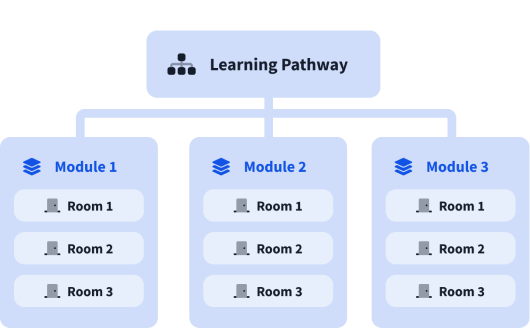
A learning pathway is made up of modules, and a module is made of bite-sized rooms (think of a room like a mini security lab).