
Nmap Post Port Scans
Premium roomLearn how to leverage Nmap for service and OS detection, use Nmap Scripting Engine (NSE), and save the results.
medium


To access material, start machines and answer questions login.
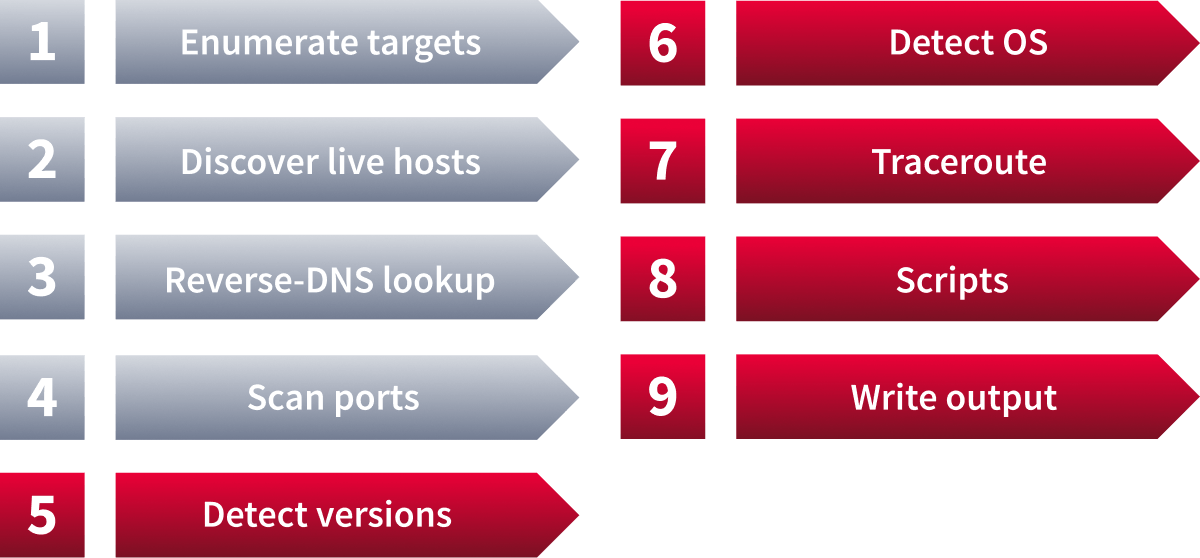
This room is the last in the series (part of the Introduction to Network Security module). In this room, we focus on the steps that follow port scanning: in particular, service detection, detection, the Nmap scripting engine, and saving the scan results.
In the first room of this series, we learned how Nmap can enumerate targets, discover live hosts, and use reverse to find interesting names. The second and third rooms in the series focused on the basic and advanced types of network port scans.
Learning Objectives
By the end of this room, you will be able to:
- Extract service and version information from discovered open ports
- Fingerprint the target operating system and map the network path to it
- Extend scan capabilities using the Nmap Scripting Engine (NSE)
- Save and document scan results in multiple formats for reporting
Learning Prerequisites
Machine Access
Launch the AttackBox using the Start AttackBox button, and launch the Target machine using the Start Machine button. Get ready to experiment with different Nmap scan types against various virtual machines.
Set up your virtual environment

I have started the machine successfully.
Ready to learn Cyber Security?
The Nmap Post Port Scans room is only available for Premium or Max subscribers. Signup now to access more than 500 free rooms and learn cyber security through a fun, interactive learning environment.
Already have an account? Log in